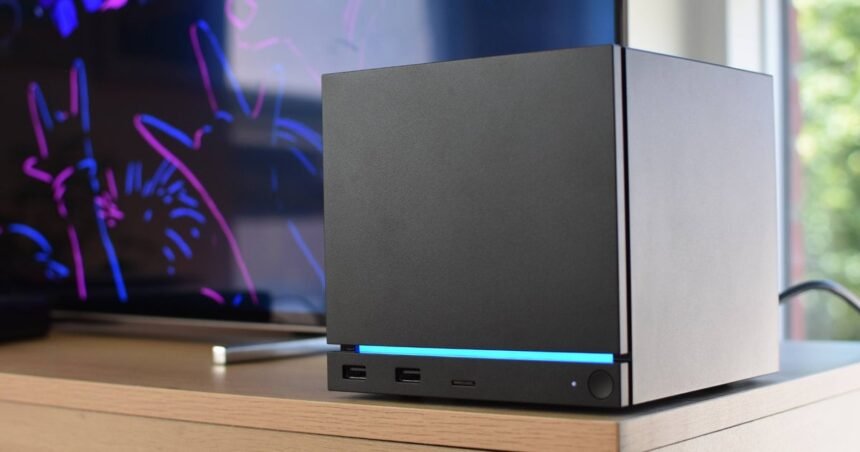
Have to say, it was more fun when the Steam Deck launched. That was a cool thing, afforded the space and the grace to just be a cool thing. The new Steam Machine, by contrast, arrives at a time when the creative industry it relies upon is being stripped to the bone, and the physical components it’s built upon are trapped in a historically terrible econo-ravaging. Also, everyone hates each other.
As powerful as Valve are, there’s only so much a little SteamOS box can shrug off. The original Steam Machines, sent on their way before the game support was ready, already proved it. And it’s impossible to ignore how this new system, pitched last year as another Deck-inspired entry in the underserved budget market, is nearly 900 quid – assuming you go for the lowest-spec option. This, alone, will surely launch a thousand YouTube thumbnails declaring that the Steam Machine (8th in Steam’s Wishlist charts at the time of writing) is dead on arrival.
That, however, would not be a deserved end. The Steam Machine might not spark the same childlike wonder that its handheld uncle did, but looking past the numbers and actually living with it – as a discreet but quietly capable companion, more at home under a TV than perched on a desk – reveals it as not just a superior to those original Machines, but truly unlike any other PC you could build or buy. That’s worth something, even if it that something isn’t necessarily 1208 of your pounds.
That, to recap, is what the top-spec 2TB Steam Machine will set you back if you opt to have it bundled with the new Steam Controller (or $1428 / €1428 elsewhere). A controllerless 2TB model is still a big ask at £1149 / $1349 / €1359, while the less capacious (but otherwise identical) 512GB Steam Machine is £938 / $1128 / €1108 with a Steam Controller, or £879 / $1049 / €1039 without.
Not exactly console money, then, though it should be said that these prices also aren’t entirely out of whack with current low-end PC prices. Component shortages, after all, are far from a Valve-specific problem. Assuming a reputable vendor, prebuilt rigs specced around Nvidia’s RTX 5050 – the weakest of the current GeForce generation – seem to start around £950 in the UK and a painful $1300 in the US. Taking that GPU down the DIY route totted me up a parts bill of £860/$1047, even with a years-old Core i5 12400F CPU and dinky mini-ITX motherboards and cases.
While these would have the not-insignificant benefit for future upgradability over the Steam Machine, which uses semi-custom CPU, GPU, and mobo designs, the 512GB model is at least in line with the up-front cost of a typical starter PC. Still, there is the wider issue of what you actually get for that money, and on performance specifically, the Steam Machine doesn’t always keep up.
In the first of two (lucky you) bumper-sized benchmark graphs, we can see that the Steam Machine only really tests the RTX 5050 in a couple of High-quality, native 1080p games: a close finish in Doom: The Dark Ages and an outlying scalp for the Machine in 007 First Light. Everywhere else, the RTX 5050 wins, and wins easily.

In hindsight, I probably should have rejigged the RPS Test Rig so that the RTX 5050 was paired with a more budget-appropriate processor and RAM; the default loadout includes a Ryzen 7 9800X3D and 32GB of DDR5, which does put a thumb on the scales for CPU-heavy games like Total War: Warhammer III and Dota 2. Though even then, the desktop-grade 5050 would have still repeatedly outpaced the Steam Machine’s laptop-styled 8GB graphics chip. If, then, you ‘only’ have a round thousand to spend on a gaming PC and frames-per-penny is what you value above all else, then yes: the Gabecube probably doesn’t make a whole lot of sense.
Nonetheless, there is something impressive about how much performance comes out of such a tiny PC. It’s no longer, in any direction, than the width of the Steam Controller I was using to play it, and yet it makes handhelds and integrated laptop graphics – including those of the Intel Panther Lake chips we were praising the other week – look like they’re running on string pulleys. At minimum settings and heavily upscaled to 800p, the Steam Deck can’t even manage a stable 30fps in the likes of First Light, Doom: The Dark Ages, or STALKER 2. Here, all three run comfortably on 1080p/High with no upscaling at all.
In fact, the only game I tried that couldn’t handle High settings was Indiana Jones and the Great Circle, and that’s a special case as it insists on baking-in ray tracing as a standard feature. Dropping to Medium, where its RT effects are less strenuous, rocketed from 19fps to 63fps – just one of many 60-plus results across this wider spread of 1080p games.

Again, games that would stump handheld PCs – or even lower-end, dedicated laptop GPUs like the RTX 4050 – run just fine on the Steam Machine. And strong performances by recent launches like Resident Evil Requiem, Pragmata, Forza Horizon 6, and 007 First Light suggest that the Machine’s lack of upgradable graphics won’t be an issue for a while yet.
Another upgrade on the Steam Deck is the Steam Machine’s improved ability to juggle upscaling and, Great Circle notwithstanding, ray tracing. I haven’t yet tried the incoming SteamOS update that enables sharper, cleaner-looking AMD FSR 4, but flicking on FSR 3 or 3.1 can produce the same, nippy framerate boosts as they can on a conventional desktop. The Dark Ages, for instance, lept from 51fps to 71fps with Quality-level FSR, a change that also juiced Darktide up from 45fps to 75fps. The Talos Principle II also climbed from 60fps 85fps, and Horizon Forbidden West got a smaller but visibly smoother 59fps-to-69fps bump, both with the Quality setting again.

Ray tracing results were more mixed. Hitman: World of Assassination was one of the fastest games without it, but simply adding RT reflections was enough to chop its average from 161fps to a mere 33fps. It did much better with RT sun shadows, though, producing 108fps so long as reflections remained in settings jail. The opposite was true of Cyberpunk 2077: with both Quality FSR 3 and RT reflections enabled, it maintained a very playable 58fps. Adding sun shadows, local shadows, and Medium-level RT lighting, however, sunk that to 37fps.
It ended up being Forza Horizon 6 that best conducted all this tech in symphony. Its High+RT preset, which folds in a couple of different effects, averaged 48fps at native 1080p – not bad, but not truly Forza-slick. FSR 3.1.5, once again on Quality mode, polished this up to 56fps with little in the way of visual compromise. That’s 7fps faster, too, than how quickly the Steam Machine ran FH6’s Extreme preset at native rez.
Since I’ve already alluded to the Steam Machine’s big telly aspirations – and more on that later – I’ll also say that it can just about crack 4K, albeit at severely lowered settings in recent AAA fare. Still, it ended up doing better than I thought, with even STALKER 2 averaging a viable 42fps with Low quality and FSR on Performance mode. The equivalent settings also produced between 45fps and 60fps in 007 First Light, depending on locale and/or whether Bond is binning his car through a fence, and a smooth, relatively consistent 70fps average in Resident Evil Requiem. Forza Horizon 6 shone once more, not even needing poverty settings: Medium quality was, when dialled in through FSR Performance, enough for 57fps. And those are all just the toughies, too. Relatively easygoing games are 4K-able without any major sacrifices, Counter-Strike 2 running around 100-120fps with High settings and FSR Quality enabled. Then there’s very simple stuff like Hollow Knight: Silksong, which still pulls 200fps+ out of the box.

Could you get all this and more from an RTX 5050? Sure, but that doesn’t make the Steam Machine any less technically impressive within its self-imposed size constraints. And although sticking a laptop-style GPU in a mini-PC chassis isn’t innovative in itself – see Zotac’s ZBOX series, among others – this pretty much always produces negative externalities that the Steam Machine appears to avoid entirely.
Heat? The hottest internal temperature I saw, 91°c on the CPU during a STALKER 2 shader compilation, is both safe and a rarity: when running normally, even tough customers like Doom: TDA and STALKER 2 itself keep CPU temps around within the high seventies or low eighties. The GPU and RAM, too, both trend around an equally unbothered 70°c while under load. Externally, the front, top, and side panels barely warm up, and according to my laser thermometer (side note: finally, another chance to use my laser thermometer), the rear fan grate peaked at 40°c. That’s hardly going to melt the paint off your walls.
Fan noise? You’d think, given the tight dimensions and that clearly sufficient cooling. Except the Steam Machine might in fact be the quietest non-handheld gaming PC I’ve ever used, barely humming out a dull whirr even under heavy, sustained load. There’s zero coil whine or case rattle, either.
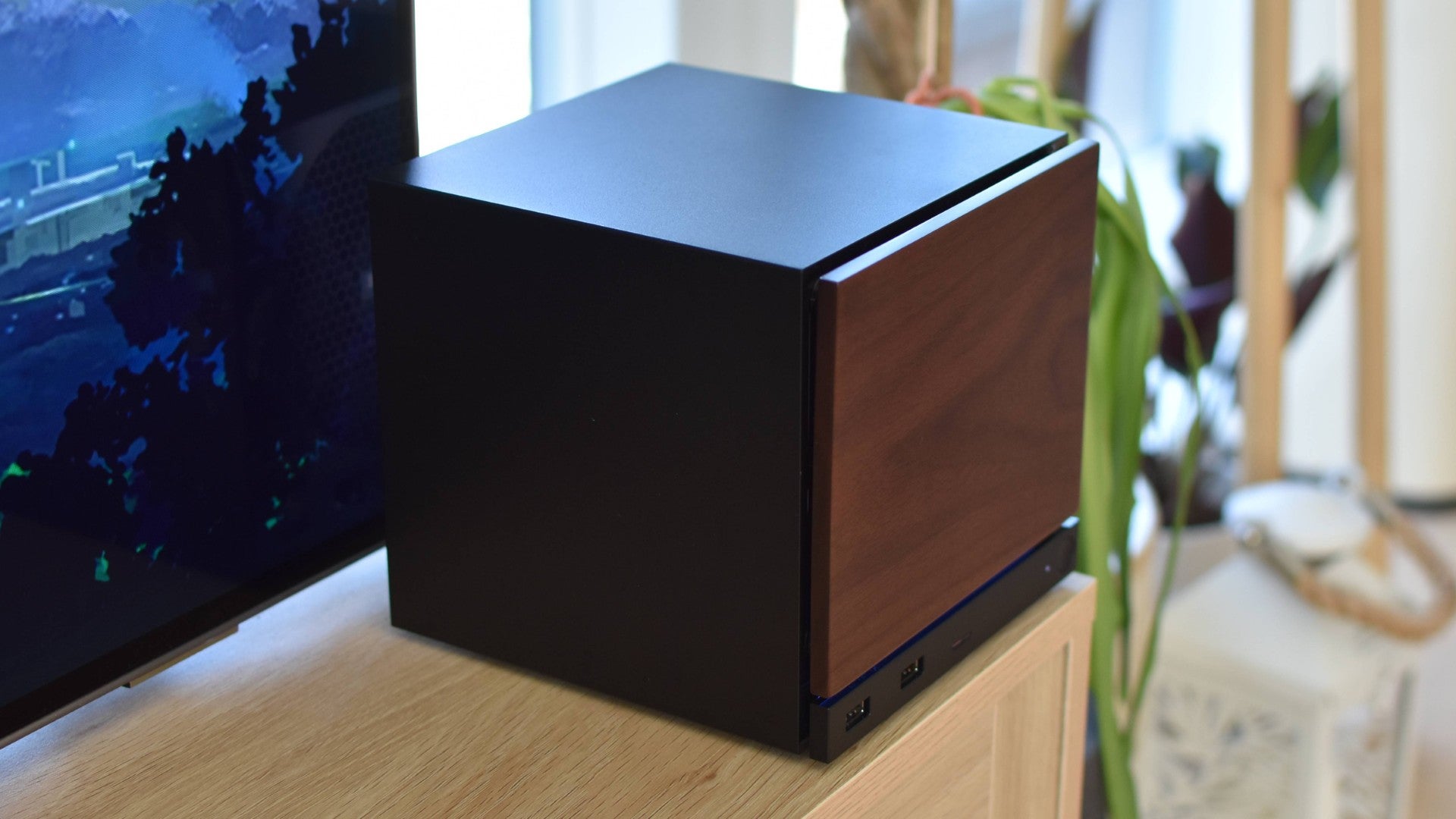
It’s an exceptionally unfussy little thing, this, which together with the fact (worth stressing again) that it’s absolutely bloody teensy, puts it in an excellent position to serve as a living room PC – much more so than as a desktop powerhouse. Its petite footprint helps squeeze in into corners of cluttered TV stands and entertainment cabinet nooks, while the almost uncanny lack of audible exhaust belching lets you play on neighbour-friendly low volumes, without the need for headphones. For the money, you could absolutely knock together something that fills that big screen with more frames per second, but something that cool, that compact, and that hushed, all at once? No chance.
It wouldn’t have HDMI CEC, either. As often as technojargon ends up delivering little, this is a genuinely handy upgrade for Steam Machines in home cinema setups; it’s essentially what allows consoles and TVs to talk to each other, and is invariably absent from desktop graphics cards and motherboards. Yet the Steam Machine’s HDMI output is CEC’d and eager to please, so it can – for example – wake up your TV whenever the Steam Machine itself boots up. This itself can be done by pressing a paired Steam Controller’s own power button, so one tap ends up readying all three devices at once, a trick I’ve happily taken advantage of while mid-sofa flop.
Speaking of the matching gamepad, you can use whatever wired, USB, or Bluetooth controller you already have, but wielding the Steam Controller does feel like you’re getting the most out of the Steam Machine in turn. For one thing, it includes enough internal wireless receivers to host four Controllers at once, so there’s no need to sully the lounge floor with the cabled pucks that they’d require on a Windows PC. The Controller’s trackpads, regardless of whether you’re comfortable using them for games or not, also make it a doddle to navigate SteamOS’s Desktop Mode (which appears just as it does on the Steam Deck). Perfect for installing a non-Steam game, or as I’ve been doing, sidestepping my ‘smart’ TV’s pathetic lack of apps by watching iPlayer through Firefox. Something, by the by, I’ve only ever previously done by awkwardly balancing a HDMI-connected laptop on my forearm, or by enduring Windows’ tediously unreliable Wi-Fi projecting procedure.

The default SteamOS Gaming Mode is, no surprise, also a better fit for idiot box usage than Windows. It’s got the same controller-friendly, snappily performant interface as it does on the Steam Deck, with all the same performance and social tools built in. Alas, some games still don’t have full SteamOS compatibility, most famously those that run Linux-mistrusting, kernel level anti-cheat systems like Apex Legends and Battlefield 6, though whether this is a dealbreaker or not will ultimately depends on your tastes. I find the games that use these systems tend to be the ones I’d rather play with a mouse and keyboard on my desktop rig anyhow, with SteamOS usually proving flexible enough for everything else.
In the event that the Steam Machine does end up as someone’s main gaming PC, they might end up wishing it had one or two full-size USB ports – the included four will fill up quickly with peripherals – though connectivity is well-appointed otherwise. Including both HDMI-CEC and DisplayPort outputs allows for dual monitor setups, and the Wi-Fi 6E and Bluetooth antennae are separated, rather than merged into a combined module like on the Steam Deck, to reduce interference. The inclusion of a microSD card slot is smart, too: I could yank the card out of my Steam Deck OLED and slip it into the Steam Machine to transfer over a chunk of game installs in seconds. The slot doesn’t support faster microSD Express cards, though it does serve as a home for cheap (well, less expensive) storage upgrades as an alternative to swapping out the SSD.

This is also easily done, mind. Opening up the Steam Machine requires a Torx screwdriver, which you won’t find falling out of a Christmas cracker, but with one in hand, it’s only a matter of loosening some screws on the rear and underside. After which, the entire internal assembly can simply slide out of the case, like Nicolas Cage pulling orbs of nerve gas out of those silly bombs in The Rock. Hopefully that doesn’t make it sound more dangerous than it is, as the SSD is then instantly accessible on the bottom panel. Reaching the RAM sticks takes a fair bit more screwdrivering, as they’re hidden underneath the heatsink. Though, because they’re just laptop-standard, unsoldered SO-DIMMs, you can swap out the stock 16GB of memory too.
It’s almost tempting to point to details like this as evidence that the lil’ Steam Machine really is a proper desktop PC, you guys. But then, it’s at it’s best when it isn’t trying to be one. If it was absolutely dead set on outmuscling current-gen, full-fat graphics cards and gaming CPUs, it would be a lot bigger, a lot louder, and a lot hotter. And, in the end, it wouldn’t be unique. Instead, it chooses a niche and unobtrusively sets about filling it, achieving all the subtlety of a home entertainment computer even when it’s chucking out sixty frames (or near enough) of ray-traced Cyberpunk 2077 every second. The ghosts of iffy design and inadequate game support that haunted the previous decade’s Steam Machines, all banished without fanfare.

Obviously, this pursuit of a more laid-back lifestyle means ceding ground to more performance-minded Windows PCs. Even if you can get past the fact that both 2026 Steam Machine models are at least £200 more than, in a sane world, they would be, a greater abundance of horsepower is readily available at their respective price points. I, personally, would still go for a DIY build, were I in need for of a dedicated games machine for my desk.
My living room, though? That’s newly-staked Steam Machine territory, and it’s going to stay that way until someone figures out how to make a compact PC that goes faster while still being half as inconspicuous as this is. Maybe Nvidia with the RTX Spark, but then yeesh, if you think the Steam Machine is overpriced…