By using this site, you agree to the Privacy Policy and Terms of Use.
Accept
GamexploreGamexplore
  • Home
  • News
  • PC Game
  • Mobile
  • VR News
  • Hardware
  • Guides
  • Reviews
  • Upcoming
Reading: How To Customize Your Quest 3S Action Button
Share
Notification
GamexploreGamexplore
Search
  • Home
  • News
  • PC Game
  • Mobile
  • VR News
  • Hardware
  • Guides
  • Reviews
  • Upcoming
Follow US
© 2025 All rights reserved | Powered by Gamexplore
Gamexplore > My Bookmarks > VR News > How To Customize Your Quest 3S Action Button
VR News

How To Customize Your Quest 3S Action Button

April 15, 2026 5 Min Read
Share
5 Min Read
How To Customize Your Quest 3S Action Button
SHARE

Table of Contents

Toggle
  • Quicker Captures
  • Cut The Chatter
  • Waiting For Roll Out

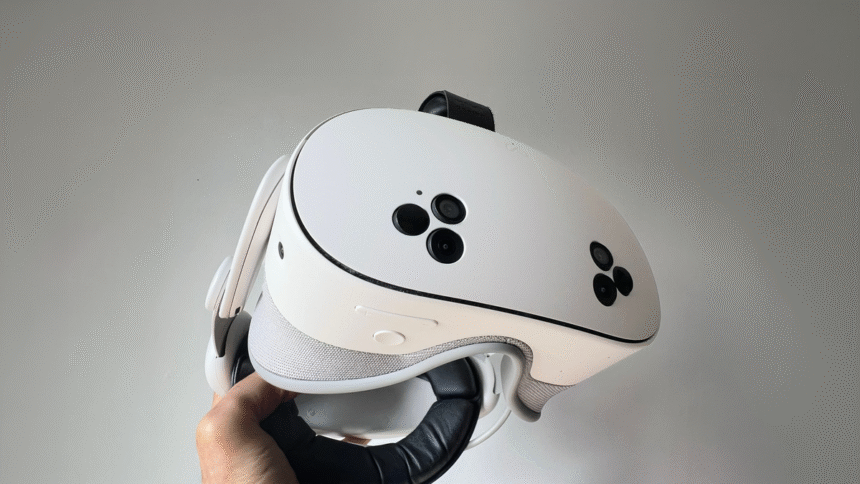
Meta is finally giving the unique action button of the Quest 3S more actions.

Initially, it had just one: toggling passthrough. Pressing it conveniently switches between an immersive view for VR gaming and a paused passthrough mode where you can see your actual room. Still, more customization is always welcome, and since v85 PTC, Meta has been rolling out the ability to choose between 5 options:

  • Passthrough (the default)
  • Meta AI
  • Capture picture
  • Capture video
  • Mute microphone

I can also pick an action for long presses, doubling up the usefulness.

Quest 3 v85 PTC Can Turn Any Surface Into A Virtual Keyboard

With Horizon OS v85 PTC, Quest 3 can turn any surface into a virtual keyboard and touchpad, and Meta says you can remap the Quest 3S action button.

Since I’ve been using Quest 3 for years, I’m used to double-tapping the side to enter passthrough, and that muscle memory often overrides the action button. By the time I remember it, I’ve already switched the outside camera view. That’s why this action button customization makes it much more powerful. I can use it for other purposes.

Quicker Captures
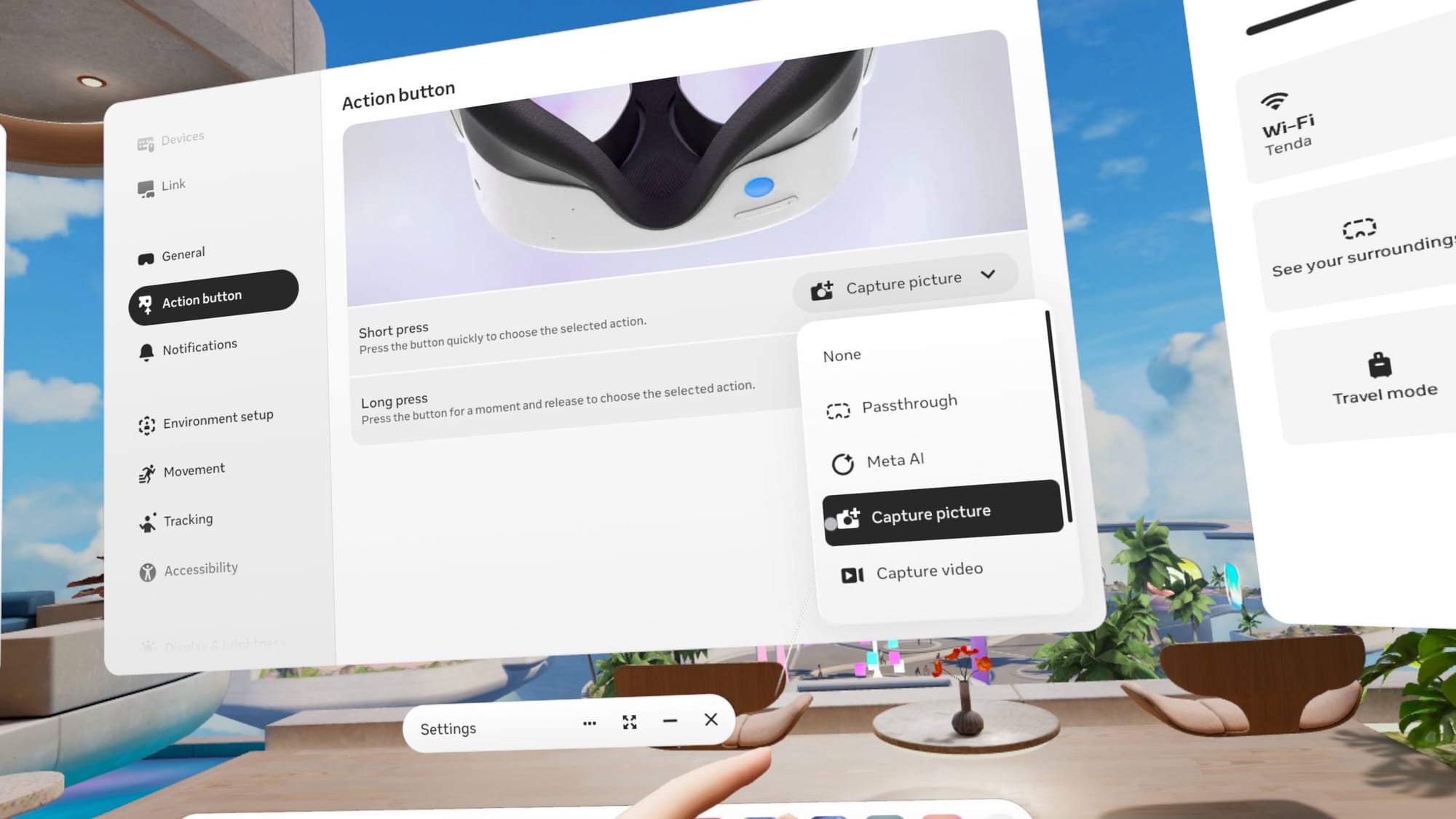
The new action button setting includes a Capture picture option for easier Quest 3S screenshots.
Choose Capture picture for easier Quest 3S screenshots.

When I set the action button to Capture picture, I can quickly snap a well-timed screenshot while using hand-tracking. The awkward combination of the Meta button and trigger failed me often, but the action button works reliably every time.

The same is true for screen recording. I set the action button’s Long press to Capture video, so I don’t have to deal with a finicky button combination or navigate menus to start recording.

See also  UploadVR's Best of VR 2025 Awards – Game Of The Year, Hardware & Most Anticipated Of 2026

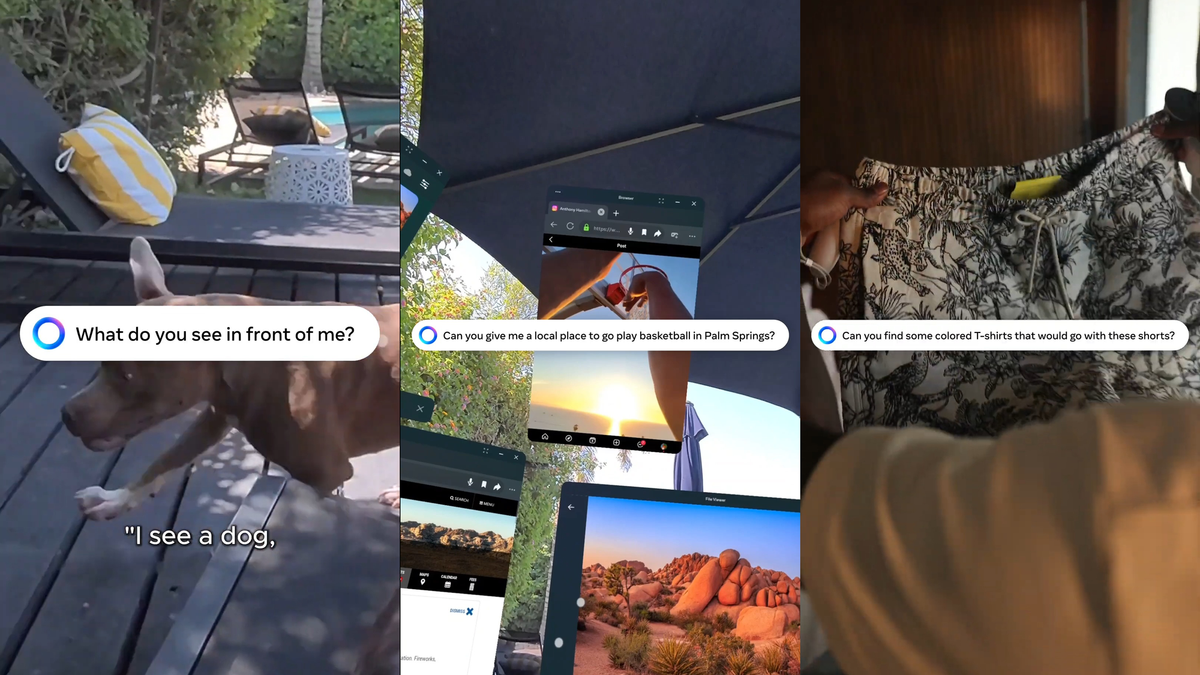
The default way to activate Meta AI, other than awkwardly saying “Hey Meta”, is by holding the Meta button and squeezing the grip button on your right controller. That works but feels slow. Maybe that’s why I use Meta AI with my Ray-Ban Meta Smart Glasses, but I rarely do so in VR. Still, it’s nice to have the option.
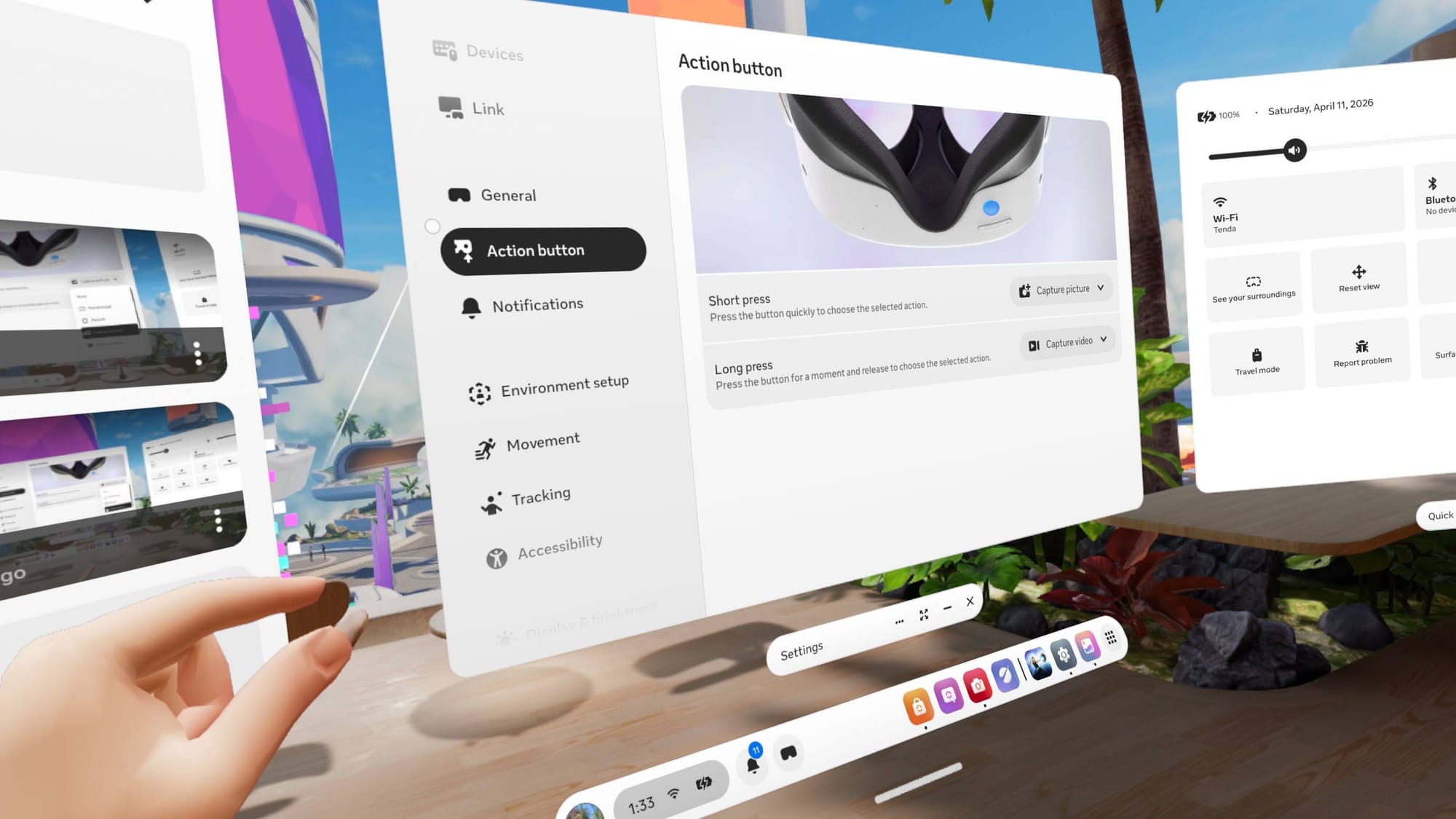
If you see an Action button setting, you can customize your Quest 3S controls.jpg
If you see an Action button setting, you can customize your Quest 3S controls.

If you do use Meta AI in your Quest 3S, it’s just a tap away if you select Meta AI in action button settings. A single press speeds up activation so you can prompt and get an answer faster. Meta AI’s arrival on Quest already hinted at how much more central voice interaction could become in Horizon OS, and this makes it feel a bit more practical.

Meta AI Is Coming To Quest Headsets In The US & Canada

Meta AI is coming to Quest headsets in the US & Canada in August, and it can answer questions about what you’re looking at on Quest 3.
Cut The Chatter

If you’ve ever been startled to find your mic is active in a shared space, you might want to set your action button to Mute microphone. It’s nice to click to silence a cough or cut background sounds bleeding in from real life.
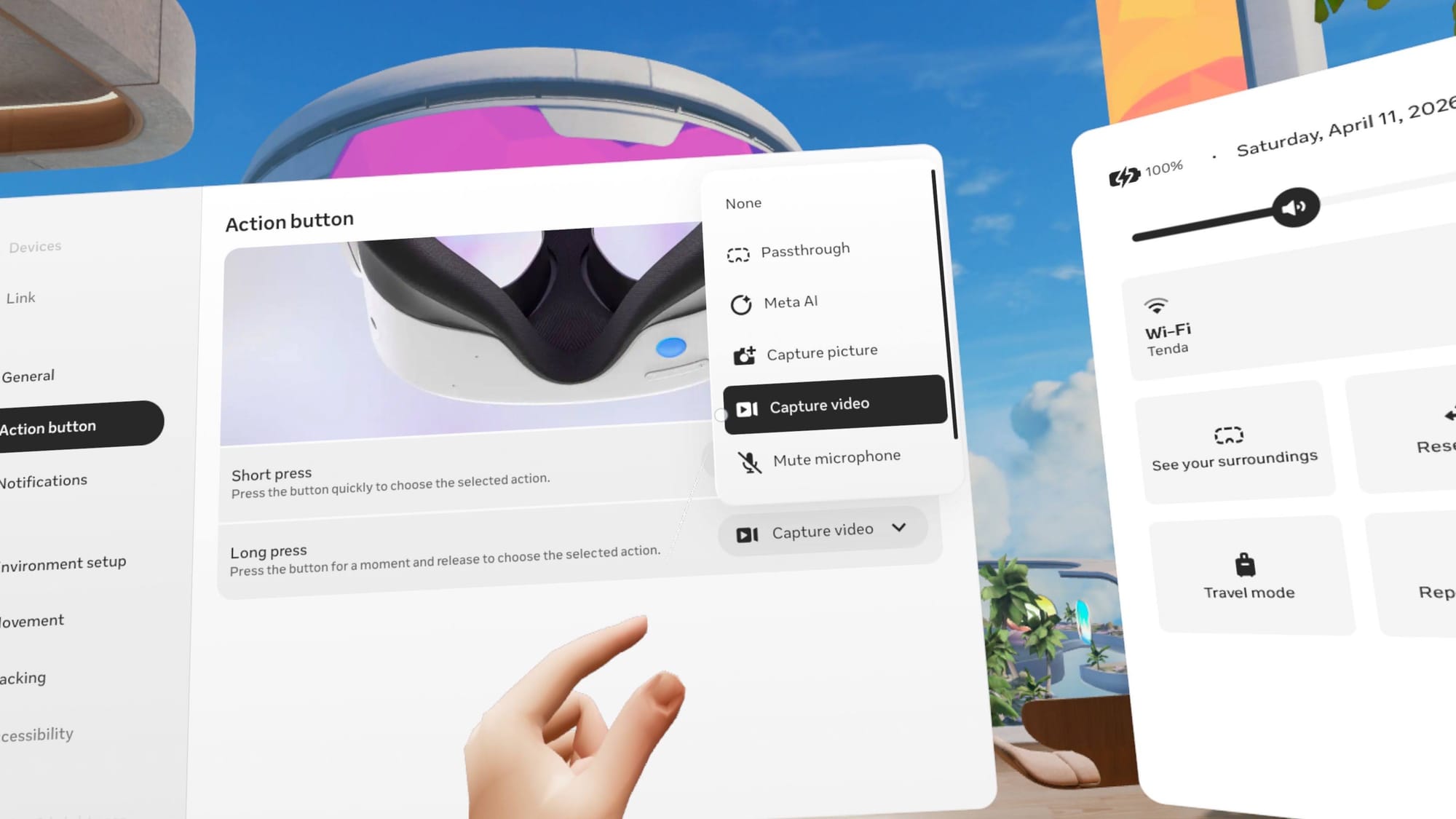
Scroll down to find the Mute microphone option in the action button menu.

Waiting For Roll Out

My Quest 3S is on the Public Test Channel (PTC) and I’m on v2.1, but I just received the action button customization setting that was described in v85 PTC. As is typical with Meta, it could take months before action button customization rolls out to you, or it could arrive tomorrow.

See also  BrushHammer Brings Miniature Model Painting To Quest This Summer

This feels like a great addition to the platform, so I hope it goes live for all Quest 3S owners soon. The action button is found only on the Quest 3S, so you’ll need to rely on the older screen capture, Meta AI, and mic controls if you own a Quest 3 or older models.


You Might Also Like

VR Veteran & ‘Primal Hunt’ Studio Phaser Lock Interactive is Shutting Down

Meta's Wearable Device Access Toolkit Lets Developers Build For Its Smart Glasses

PianoCafe Gives Musical Learning A Culinary Twist

Sony Significantly Increasing PS5 Console Price Again

Meta Offering 30% Off 500+ Quest Games With This Discount Code

TAGGED:Virtual RealityVR
Share This Article
Facebook Twitter Copy Link
Previous Article Horizon Zero Dawn Remastered_01 Horizon Zero Dawn Remastered, The Crew Motorfest and More Coming to PS Plus Extra/Premium Next Week
Next Article Enter for Your Chance to Win a Free Pass to the Biggest XR Event of the Year Enter for Your Chance to Win a Free Pass to the Biggest XR Event of the Year
Leave a comment Leave a comment

Leave a Reply Cancel reply

Your email address will not be published. Required fields are marked *

Latest News

Sony FlexStrike Wireless Fight Stick
Sony Delays the FlexStrike Wireless Fight Stick to Unknown Date
News July 15, 2026
compulsion games logo
South of Midnight Developer is Looking for Studios to Collaborate With
PC Game July 15, 2026
How to find eggs and build an egg incubator in Palworld
PC Game July 15, 2026
“Losing Key Talents and Skills” is a Major Risk, Says Ubisoft Amidst Layoffs
News July 15, 2026
Gears of War E-Day_05
Gears of War: E-Day Supports Nvidia DLSS 4.5 and Dynamic Multi Frame Generation on Day One for PC
Upcoming July 15, 2026
Grand Theft Auto Online Gets The Kortz Center Heist in Latest Update
PC Game July 15, 2026
Riot Games will launch League of Legends Classic on July 29 with an initial roster of 60 champs
Mobile July 15, 2026
gamexplore gamexplore

Welcome to Gamexplore, your go-to destination for everything gaming. We are dedicated to delivering the latest updates, in-depth insights, and expert analysis from the ever-evolving gaming industry.

Editor Choice

The best local co-op games to play in 2026
Upcoming ‘Slime Lab’ Lets Players Go Hands-on with Liquid Physics, Coming Soon to Quest & PC VR
Monster Hunter Wilds’ launch sees over 1M players on Steam and multiple PC performance complaints
Battlefield 6 Launches on October 10, Costs €79.99 on Xbox Series X/S and PS5 – Rumour

Trending News

What time does Wuchang: Fallen Feathers release?
Former Nintendo of America President Says Switch 2’s Launch Line-Up Was a Head Scratcher
Best power supply 2025 – top PSUs for your gaming PC
Destiny 3 is Not in Development, Bungie Planning “Significant” Number of Layoffs – Rumor
  • About Us
  • Contact Us
  • Disclaimer
  • Privacy Policy
  • Terms of Service
Reading: How To Customize Your Quest 3S Action Button
Share
© 2025 All rights reserved | Powered by Gamexplore
Welcome Back!

Sign in to your account

Lost your password?