By using this site, you agree to the Privacy Policy and Terms of Use.
Accept
GamexploreGamexplore
  • Home
  • News
  • PC Game
  • Mobile
  • VR News
  • Hardware
  • Guides
  • Reviews
  • Upcoming
Reading: Steam beta update brings UI overhaul to Steam Deck and Steam Machine
Share
Notification
GamexploreGamexplore
Search
  • Home
  • News
  • PC Game
  • Mobile
  • VR News
  • Hardware
  • Guides
  • Reviews
  • Upcoming
Follow US
© 2025 All rights reserved | Powered by Gamexplore
Gamexplore > My Bookmarks > Hardware > Steam beta update brings UI overhaul to Steam Deck and Steam Machine
Hardware

Steam beta update brings UI overhaul to Steam Deck and Steam Machine

September 10, 2026 3 Min Read
Share
3 Min Read
Steam beta update brings UI overhaul to Steam Deck and Steam Machine
SHARE

Valve has just published the latest beta version of the Steam client. The patch notes contain numerous bug fixes related to game recording, in-game overlays and improved performance on Linux-based devices, but the standout additions are new UI and customisation options for the client’s full-screen Big Picture Mode. So, if you’re playing games on a Steam Deck, Steam Machine, or just running your desktop PC or other handheld gaming PC in Big Picture Mode, there are some new features headed your way that’ll liven up your experience.

The additions include a new, more visual way to view your library, called ‘Big Art Mode’. This displays a larger piece of artwork for the game currently selected, giving you much more focus on the game in question compared to the conventional layout. It seems Steam has been inspired by Decky Loader here, a third-party addition for Steam Deck that offered a similar user interface.

Pictured: The new ‘Big Art Mode’

For Big Picture Mode, the beta also brings a new optional screensaver mode to the client. As standard, this will display artistic shots of games you’ve played recently, alongside screenshots you’ve recently taken within these titles. Alternatively, you can swap in custom photos to this function, and also set how long your device sits unattended before the screensaver kicks in.

A smaller addition to the UI is Steam’s personalized calendar, now added to the ‘recommended’ tab within Big Picture Mode. It’ll give a quick overview of new and upcoming games Steam reckons you’ll be interested in.

Beta Steam client releases can be buggier and less stable than the final build, so if you’re not absolutely desperate to plaster custom screensavers and artwork across your device, you might want to hold out, as these features will inevitably make their way to a future public release of the Steam client.

See also  Razer's new translucent PC peripherals transport me back to the 90s

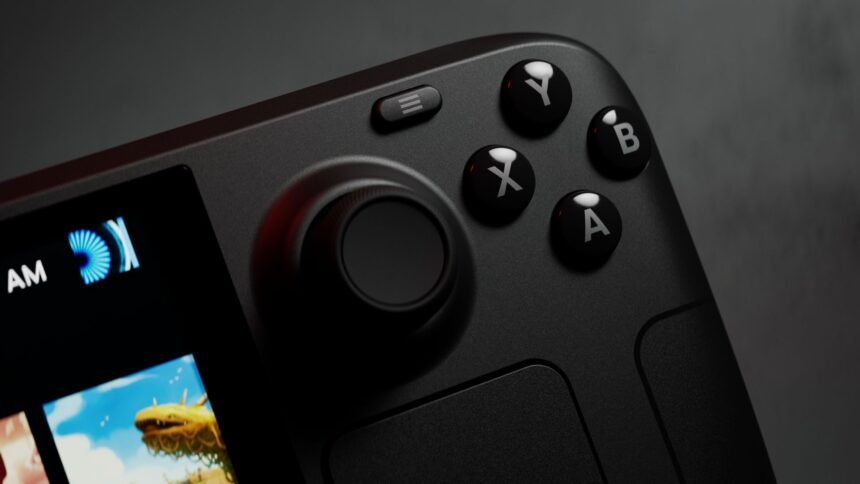
For the Steam Deck in particular, this update brings another layer of polish to the handheld gaming PC, which recently passed a major milestone of 30,000 compatible Steam games.

You Might Also Like

Asus’ new portable Nvidia GeForce RTX 5090 is coming, but it won’t be cheap

Best wireless gaming headset 2025

Nvidia GeForce RTX 5060 graphics cards reportedly won’t be out for months now

ArenaNet says Guild Wars 3 will make you "fall in love with MMOs." Here's why I think it could

Kingdom Come Deliverance 2 Steam Deck compatibility is surprisingly solid

TAGGED:Hardware
Share This Article
Facebook Twitter Copy Link
Previous Article ‘No Man’s Sky’ Brings a Whole New Universe of Possibilities in Cosmos Update ‘No Man’s Sky’ Brings a Whole New Universe of Possibilities in Cosmos Update
Next Article Voltaire: The Vegan Vampire is a two-player ‘farming action roguelite’ about defying your blood-sucking heritage Voltaire: The Vegan Vampire is a two-player ‘farming action roguelite’ about defying your blood-sucking heritage
Leave a comment Leave a comment

Leave a Reply Cancel reply

Your email address will not be published. Required fields are marked *

Latest News

Xbox_03
Xbox Chief Operating Officer Departs After 3 Months
News October 26, 2026
The Magician VR: The Cursed Wand Review - A Tricky Spell To Pull Off
The Magician VR: The Cursed Wand Review – A Tricky Spell To Pull Off
VR News October 26, 2026
Phantom Blade Zero Review – True Steel Speaks
PC Game October 26, 2026
Vincit is a fast-paced multiplayer FPS that blends quick movement, bullet parrying, and spell slinging
Mobile October 26, 2026
PCGamesN
Phantom Blade Zero review – A new action RPG gold standard
Hardware October 26, 2026
Onimusha Way of the Sword_02
Onimusha: Way of the Sword Team Intentionally Avoided a Metal Gear Rising-Style Cutting System
News October 25, 2026
Ace Combat Zero: The Belkan War is Finally Playable Standalone on Steam for Ace Combat 8 Pre-Orders
Upcoming October 25, 2026
//

We influence 20 million users and is the number one business and technology news network on the planet

gamexplore gamexplore

Welcome to Gamexplore, your go-to destination for everything gaming. We are dedicated to delivering the latest updates, in-depth insights, and expert analysis from the ever-evolving gaming industry.

Editor Choice

The Witcher 4 and Cyberpunk 2 Studio “Learned Our Lesson” From Previously Poor Documentation
Styx: Blades of Greed Delayed to February 19th, 2026
Clair Obscur: Expedition 33 actor reveals the lousy advice he got from Ben Starr
Zenless Zone Zero Version 2.7 brings Angels of Delusion to the battlefield with playable Nangong Yu

Trending News

All Maelle Outfits in Clair Obscur: Expedition 33 and how to unlock them
Digimon Story: Time Stranger – New Details to be Revealed on March 20th
Which weapon to pick first in Mina the Hollower
Portal 2's opening has one of the best video game jokes ever
  • About Us
  • Contact Us
  • Disclaimer
  • Privacy Policy
  • Terms of Service
Reading: Steam beta update brings UI overhaul to Steam Deck and Steam Machine
Share
© 2025 All rights reserved | Powered by Gamexplore
Welcome Back!

Sign in to your account

Lost your password?