By using this site, you agree to the Privacy Policy and Terms of Use.
Accept
GamexploreGamexplore
  • Home
  • News
  • PC Game
  • Mobile
  • VR News
  • Hardware
  • Guides
  • Reviews
  • Upcoming
Reading: Quest Update Fixes The Biggest Problem With Screenshots & Recording
Share
Notification
GamexploreGamexplore
Search
  • Home
  • News
  • PC Game
  • Mobile
  • VR News
  • Hardware
  • Guides
  • Reviews
  • Upcoming
Follow US
© 2025 All rights reserved | Powered by Gamexplore
Gamexplore > My Bookmarks > VR News > Quest Update Fixes The Biggest Problem With Screenshots & Recording
VR News

Quest Update Fixes The Biggest Problem With Screenshots & Recording

April 19, 2026 2 Min Read
Share
2 Min Read
Quest Update Fixes The Biggest Problem With Screenshots & Recording
SHARE

Meta’s new Capture Markers feature shows you exactly what will be in frame before you snap a screenshot or start a screen recording on Quest.

I’m on the Public Test Channel (PTC), and I’ve noticed a new screen capture tool that makes it much easier to share an exciting game shot or captivating mixed-reality moment without missing the details that matter most.

What You See Is What You Get

Meta calls the feature Capture Markers. Before taking a screenshot, my Quest now shows crop marks at the corners of the frame, making it much easier to line things up properly. That fixes two big problems: crooked screenshots and missing the action.

It’s surprisingly easy to grab an angled or off-center image in VR. The image might be good enough, but there’s a reason photographers use a tripod. Keeping the horizon level helps the viewer orient themselves.

As frustrating as an off-kilter image is, a bad crop can make a screen capture pointless. Without capture markers, I had to guess what portion of my view would fit within the rectangular bounds of a Quest screenshot. To make matters worse, the aspect ratio can be square, portrait, or landscape. If I forgot which I chose, my screenshot might miss a huge portion of the shot I was expecting.

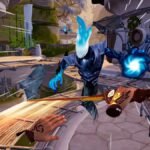
The new Capture markers option helps improve framing.

The new system means what you see is what you get, which feels like a long overdue improvement over older Quest screenshot methods and even broader advice on how to take a screenshot in virtual reality. I can just line up the corners and wait for the screenshot countdown. Screen recordings show capture markers too.

See also  Arken Age Goes Standalone With Today's Quest 3 Launch

When this feature rolls out, it can be found in Camera settings. The three options are Off, Auto hide, and On. On keeps capture markers visible throughout a recording. Auto hide removes them after about five seconds.


You Might Also Like

Star Trek: Infection Review: Survival Horror At The Final Frontier

The Pirate: Republic of Nassau Review-In-Progress – Promising Sailing Season

Varjo is Pulling Support for All of Its Older XR Headsets Next Year

One of Quest’s Most Popular Multiplayer Games ‘Animal Company’ Gets PvP Shooter Update

Apple Vision Pro finally catches up to Meta Quest with live NBA games

TAGGED:Virtual RealityVR
Share This Article
Facebook Twitter Copy Link
Previous Article Pragmata’s hero dad is the antithesis of God of War’s Kratos Pragmata’s hero dad is the antithesis of God of War’s Kratos
Next Article 20 Little-Known Upcoming Games You Should Know About 20 Little-Known Upcoming Games You Should Know About
Leave a comment Leave a comment

Leave a Reply Cancel reply

Your email address will not be published. Required fields are marked *

Latest News

Project Helix
Project Helix Speculation Sparked by Hideo Kojima Posing for a Photo at Xbox Offices
News April 23, 2026
Anime MMORPG Aero Tales Online launches out of early access with a fresh start server May 1
Mobile April 23, 2026
Nvidia graphics research just made a 2-3x gain in performance, and this time it didn't use AI
Hardware April 23, 2026
The Expanse: Osiris Reborn Closed Beta is Live, New Overview Outlines Combat, Skills, and More
PC Game April 23, 2026
game pass logo
Game Pass Might Get “Pick Your Own Plan” Options – Rumor
Upcoming April 23, 2026
Fallout: New Vegas dev says Bethesda slammed the game in a PowerPoint
PC Game April 23, 2026
Project Helix
Project Helix’s AMD GPU Features Zero Customization by Microsoft – Rumor
News April 22, 2026
gamexplore gamexplore

Welcome to Gamexplore, your go-to destination for everything gaming. We are dedicated to delivering the latest updates, in-depth insights, and expert analysis from the ever-evolving gaming industry.

Editor Choice

Assassin’s Creed Shadows Adds Detailed Stats and Manual Jump, Claws of Awaji Dated for Switch 2
My FSR Redstone testing shows huge image quality improvements and AMD seriously taking the fight to Nvidia DLSS
Next-gen AMD Ryzen CPUs will reportedly have a "3D core" and it looks amazing
Battlefield 6 Guide – How To Progress Mastery

Trending News

Now on Quest Early Access, ‘BuildPort Xumia’ Lets You Build & Fly Your Own Homemade Spaceships
Atomfall’s Open World Feeds an Ever-Escalating Sense of Investigation and Urgency
How to heal in The Nether in Destiny 2
Capcom Says PS5 Price Barrier Poses Challenge for Monster Hunter Wilds Sales
  • About Us
  • Contact Us
  • Disclaimer
  • Privacy Policy
  • Terms of Service
Reading: Quest Update Fixes The Biggest Problem With Screenshots & Recording
Share
© 2025 All rights reserved | Powered by Gamexplore
Welcome Back!

Sign in to your account

Lost your password?