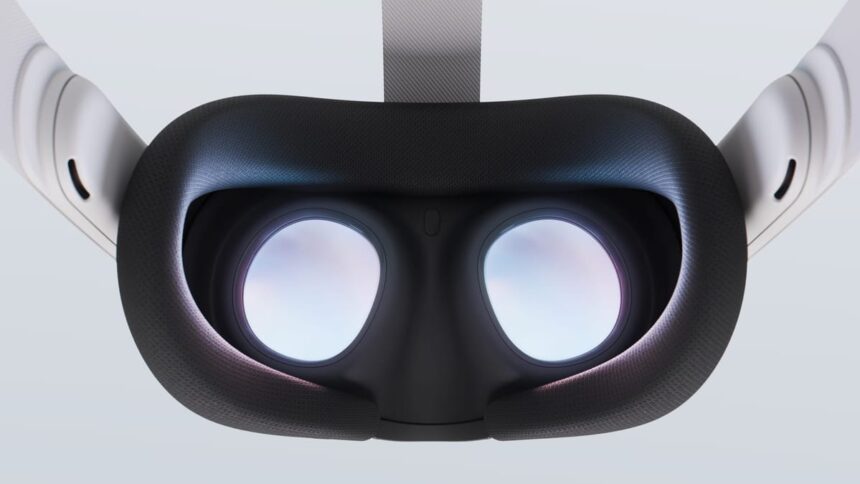
Quest’s Horizon OS v83 brings System Positional TimeWarp (SysPTW) and Temporal Dimming as experimental features, as well as improved scene understanding.
A test version of v83 started rolling out to the Horizon OS Public Test Channel (PTC) last month, testing these features and the evolved ‘Navigator’ system UI, which remains experimental. Now, a month later, a stable build of v83 is rolling out to all supported Quest headsets.
Quest v83 PTC Has The Evolved Horizon OS UI Meta Teased At Connect
Horizon OS v83 PTC includes the evolved Quest system UI that Meta teased at Connect, as well as scene understanding for slanted ceilings and inner walls.
Meta’s rollouts happen gradually, so it may take a few days or even weeks for your headset to get the v83 update. Further, Meta rolls out some features separately from the main update itself, so even having the v83 update doesn’t guarantee having everything listed here yet.
Read on for a rundown of the key changes Horizon OS v83 brings compared to v81, the previous stable release:
System Positional TimeWarp (SysPTW)
Just before displaying every frame, all major XR operating systems rotationally reproject (warp/skew) it to match the tiny change in orientation of your head since the frame started rendering.
This is done to eliminate the latency you’d otherwise perceive as you pan your head. And when the running app fails to complete rendering a new frame in time for the next display refresh, the previous frame gets rotationally reprojected further instead of just repeating it. This avoids rotational judder, which is sickening in VR.
With Horizon OS v83, Meta has added an experimental setting called System Positional TimeWarp (SysPTW). When enabled, it applies to all apps at all times, extending the system-level reprojection to be positional, not just rotational.
VR Timewarp, Spacewarp, Reprojection, And Motion Smoothing Explained
TimeWarp, Spacewarp, Reprojection, Motion Smoothing. Asynchronous, Interleaved. You may have heard these terms or seen them in the settings of your VR headset, but what do they do, and what’s the difference? Timewarp The idea of Timewarp has been around in VR research for decades, but the specific feature
According to Meta, SysPTW “uses real-time scene depth to reduce visual judder and lag when apps drop frames”.
“This feature automatically activates when needed and works across all apps, with no impact on regular performance”, Meta claims.
Application SpaceWarp (AppSW), the SDK feature developers can enable for their apps to run at half framerate by generating every other frame synthetically, has already had Positional TimeWarp built-in since launching 4 years ago, so AppSW games won’t see any changes here.
For apps that don’t use AppSW, enabling SysPTW should both reduce positional latency and significantly dampen the positional judder you normally experience when a game drops a frame.
Temporal Dimming
Back in v69, Meta added an experimental option called Content Adaptive Brightness Control (CABC) for Quest 3 headsets, which dynamically dims the backlight of the LCD displays in darker scenes to achieve deeper blacks that are closer to true black than the murky grey typically delivered by LCD.
Now, in v83, Meta has added a second but distinct experimental option called Temporal Dimming for Quest 3 and Quest 3S.
“This feature gradually dims your display brightness during each session, helping reduce eye strain, extend device battery life, and improve display performance—all without noticeable impact on your experience”, Meta explains.
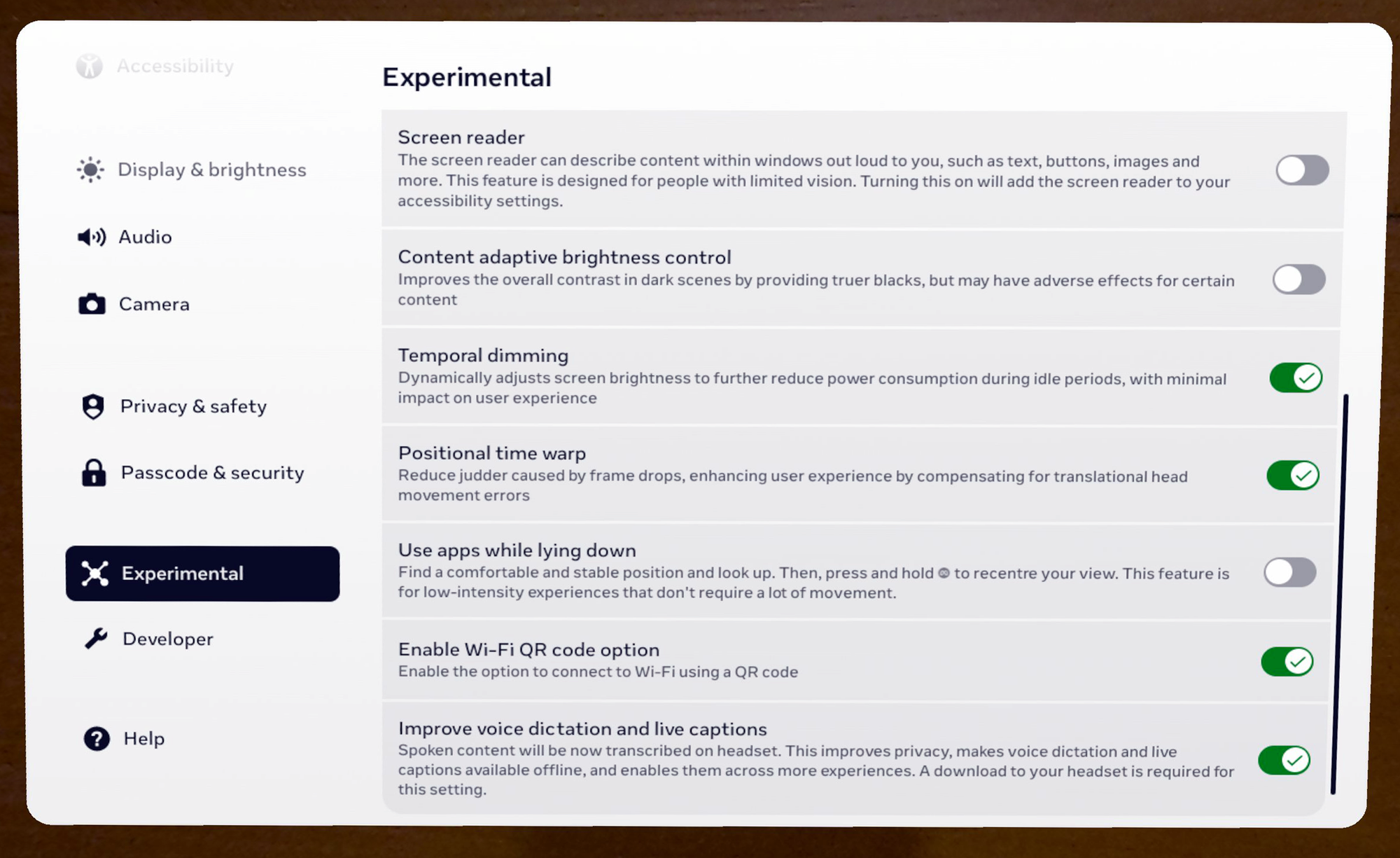
Meanwhile, the description of the setting in Horizon OS reads “Dynamically adjusts screen brightness to further reduce power consumption during idle periods, with minimum impact on user experience”.
While CABC is very noticeable, with the screen brightness visibly adjusting, from briefly testing Temporal Dimming, it seems to be a far more subtle effect, with brightness seemingly changing over a greater time period.
We’ll keep an eye on whether Meta moves Temporal Dimming out of Experimental in future releases, something it hasn’t yet done for CABC. Meta may even make it the default eventually, with the aim of getting the most out of its plain LCD displays.
Improved Scene Understanding
Quest 3 and Quest 3S create a 3D mesh of your room during mixed reality Space Setup. Since launch, Meta’s system has been able to infer the positions of your main walls, floor, and ceiling from this 3D mesh, and since v64 it has also generated labeled bounding boxes for doors, windows, beds, tables, sofas, storage (cabinets, shelves, etc.), and screens (TVs and monitors).
Quest developers can access these bounding boxes using Meta’s Scene API and use them to automatically place virtual content. For example, they could place a tabletop gameboard on the largest table in the room, replace your windows with portals, or depict your TV in a fully VR game so you don’t punch it.
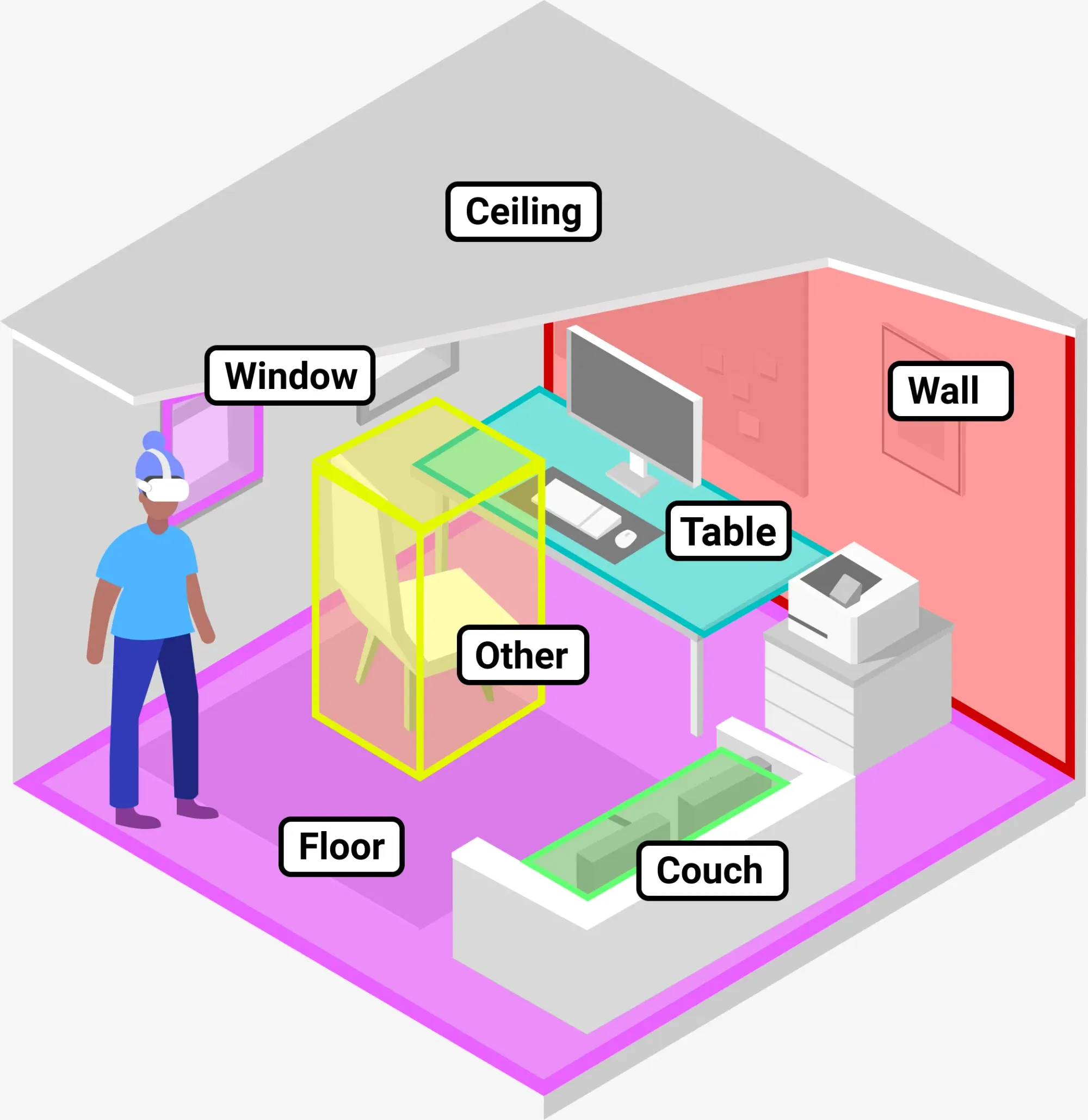
Now, with Horizon OS v83, Meta says Space Setup will also incorporate “more complex architectural elements like multi-height floors, slanted ceilings, and inner walls”.
Apple Vision Pro added support for slanted surfaces in visionOS 2 last year.
Smartphone App Login For The Web
A significant drawback of Meta’s Horizon OS compared to Apple’s visionOS and Google’s Android XR is that its default web browser isn’t available on traditional device platforms. On Samsung Galaxy XR you’ll have access to all your Chrome passwords and bookmarks, and on Apple Vision Pro you’ll get the same for Safari – but the Horizon OS browser is only available on Quest.
The Horizon OS browser does have LastPass, and Meta is gradually rolling out Bitwarden, NordPass, Proton Pass, and Dashlane to it too, but switching to a supported password manager is a big ask for your VR headset.
Quest’s Web Browser Seems To Be Getting Ad Blocking & VPN Extensions
Quest’s web browser seems to be getting a range of new extensions, including an ad blocker, four new password managers, and multiple VPN options.
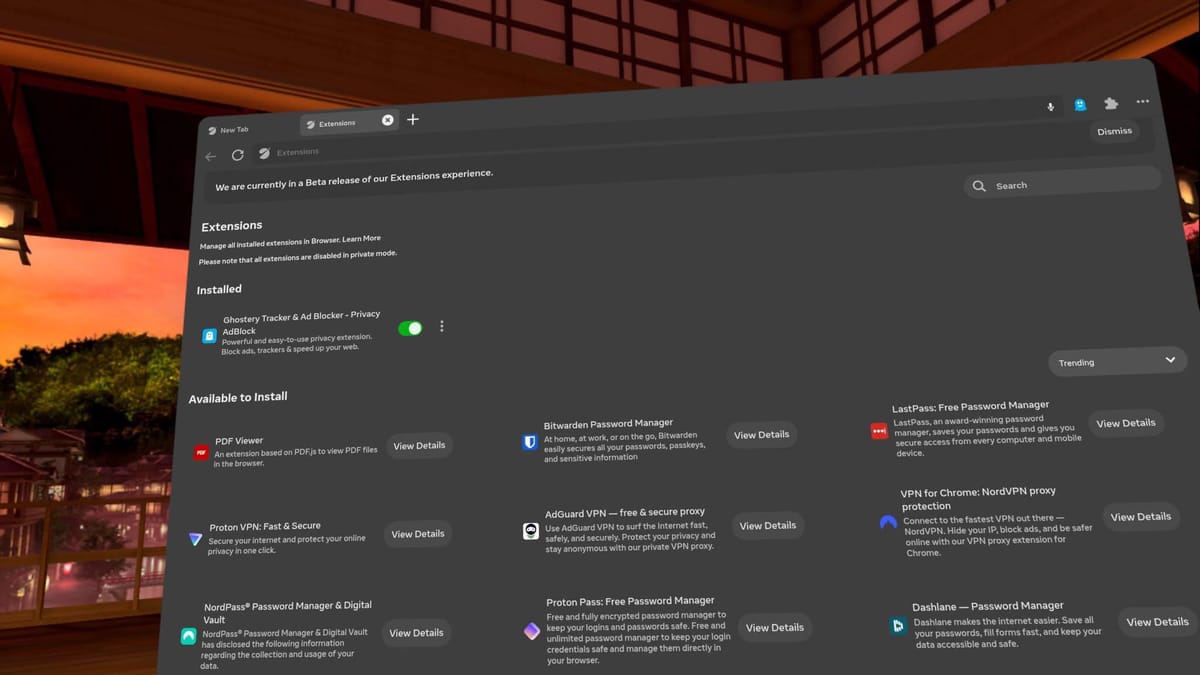
Now, with Horizon OS v83, Meta says you can log into “certain websites” via your phone by sending a link to the Meta Horizon smartphone app.
Currently supported websites include “Roblox and Tiktok”, Meta says, without disclosing exactly how other web developers can implement this, or whether it’s based on a web standard.