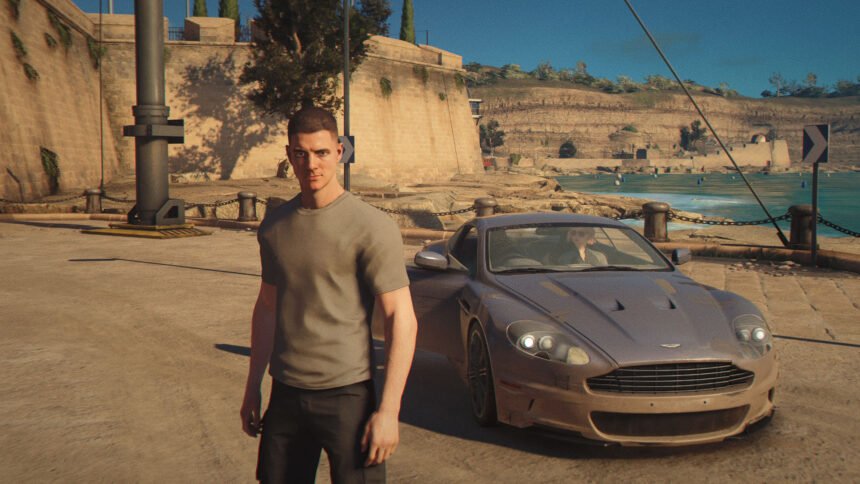
007 First Light is finally here, and despite a little bit of scepticism leading up to its launch, it really does deliver on the globetrotting, spying adventure that you’d hope for from a James Bond game. Graphically, it’s not setting new standards, but this is still a great-looking game that you’ll want to push to its limits to get the most cinematic experience. To find out just how best to do that, we’ve put the game through its paces to find the best settings with which to run it.
In terms of GPU requirements, the 007 First Light system requirements aren’t super demanding – so you won’t need the best graphics card around just to fire up the game – but it definitely benefits from some eyecandy to draw you in to its adventure. It also isn’t a game that needs an ultra-fast frame rate to play comfortably, especially if you play with a controller, so you can push graphics higher at the expense of frame rate withough ruining the experience. Read on below to find out how best to get 007 First Light set up for your needs.
Best 007 First Light settings for PC
- Resolution: Your choice
- Display mode: Fullscreen
- V-Sync: On
- V-Sync interval: 1
- Transfer function: 2.2
- Gamma: 1 (unless your screen is low quality, in which case you might want to tune this to your preference)
- Resolution scaling: Nvidia DLSS for compatible GPUs or AMD FSR
- DLSS/FSR quality: Quality or lower if needed
- DLSS frame generation: Dynamic or 2x
- Texture quality: High
- Texture filter: 8x
- Terrain quality: High
- Shadow quality: High
- Volumetric fog quality: High
- Global illumination quality: High
- Reflection quality: Ultra
- Motion blur: On
- Fullscreen blur effects: On
- Radial blur effects: On
- Wobble distortion effects: On
- Film grain effects: On
- Chromatic aberration effects: On
This is a game best played with a controller. Despite the high-stakes spy games happening on screen, the gunplay and gameplay lends itself to sitting back and just enjoying the ride, rather than needing precise, split-second inputs. That’s why we’ve opted to keep settings such as V-Sync and motion blur turned on, and why I’d suggest using upscaling and frame generation.
All those settings can compromise the snappy, precise feel of games, so we don’t recommend them for more competitive or reaction-based games. However, here, you can target a baseline frame rate of 30fps and use DLSS frame generation to double or triple that without compromising the overall feel of the game.
What’s more, 007 First Light ships with support Nvidia’s latest Dynamic Multi Frame Generation (DMFG), enabling you to simply “set and forget” your frame generation setting. DMFG will only add upscaling when it needs to, to hit a target frame rate, and will only kick in when needed to increase your frame rate. It’s the setting I’d suggest using if you’re running an RTX 5000 series graphics card.
Using a gaming PC equipped with an AMD Ryzen 7800X3D and an RTX 5080, the above settings (using 2x frame gen) got us 92fps average with a 59fps 1% low while running at 4K. On a lesser system, you can get away with hitting half that frame rate, and the game will still play fine.
Best 007 First Light settings for Steam Deck
We’re still testing 007 First Light on Steam Deck, so we will update this section once we’ve completed our testing.
007 First Light graphics presets
There are no graphics presets as such in 007 First Light. In fact, the whole graphics settings menu feels a little cumbersome to navigate, as it uses a big, long list with a large font, which feels more optimized for controller navigation while playing on a TV, rather than using a mouse and keyboard on a gaming monitor.
It’s good, then, that I recommend running the game with a controller. I’ve been using the Steam Controller, but not because of its fancy trackpads or gyro aiming. I’ve just been using its normal thumbsticks, and it’s a great experience.
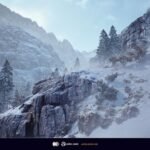
As for settings comparisons, you can see above how the game looks with all settings set to low (left), versus them set to ultra (right). They’re actually remarkably similar in this shot, but there are more noticeable differences with reflections and shadows elsewhere.
How we tested 007 First Light
At , we normally use a dedicated gaming rig to test the best settings for performance and gameplay in the latest releases. However, for our preview testing of 007 First Light, we needed to test on a different machine. We will be updating this guide with tests on our standard rig when the game is fully released.
Does 007 First Light need an SSD?
007 First Light does not require an SSD. However, as with all modern, triple- or double-A titles, we’d recommend upgrading to one to run this game. Relying on an old hard drive will lead to very long load times.
However, you won’t need to upgrade to the best gaming SSD on the planet to avoid most of those loading time issues. A basic drive, such as the WD Black SN7100 will be plenty fast enough.
How to monitor performance in 007 First Light
If you want to keep an eye on performance in 007 First Light, there are several easy ways to do so.
For Nvidia cards, you can use the Nvidia App and enable the in-game overlay. Hit Alt + R in-game, and this will bring up the performance monitor. With AMD cards, you can enable performance monitoring via the Radeon overlay using the shortcut Ctrl + Shift + O.
Alternatively, you can download free software such as CapFrameX or Nvidia FrameView, both of which work with any graphics card.
With handheld gaming PCs, most will have a dedicated button to access a quick menu from which performance monitoring, sometimes called real-time monitoring, can be accessed.