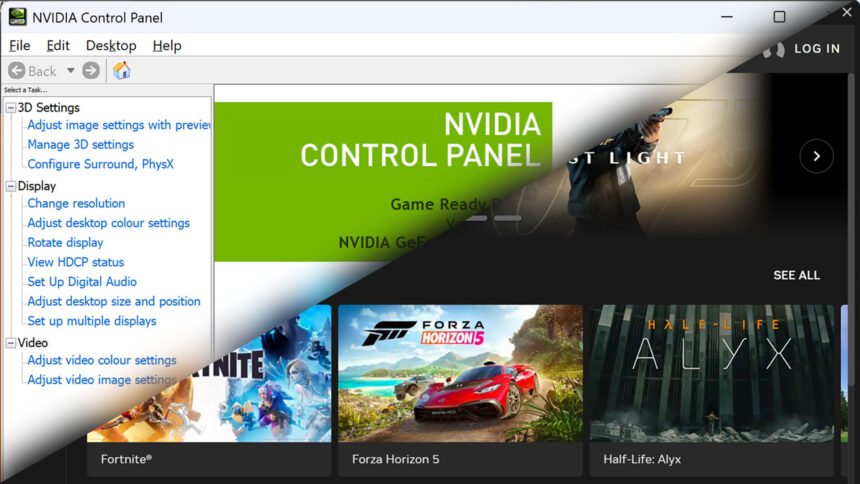
Nvidia Control Panel is no more, or at least it won’t be if you install the latest version of Nvidia’s driver. After 20 years of being the slightly cumbersome interface for Nvidia GPU settings, the company is pulling the plug, replacing it with the new and shiny Nvidia App.
Those lucky enough to have one of Nvidia’s best graphics cards will still be able to continue using Control Panel by keeping their old driver installation or by only updating to the latest driver, rather than doing a fresh install. However, if you’re starting from scratch or choose a fresh install, Control Panel will no longer appear.
Nvidia announced this change in the release notes for its latest Game Ready Driver that includes official support for 007 First Light. Along with confirming the inclusion of DLSS Super Resolution and Dynamic Multi Frame Generation in that game (and upcoming support for Path tracing and DLSS Ray Reconstruction in it too) the notes go on to discuss the situation with Control Panel.
“After 20 years of dedicated service, the classic NVIDIA Control Panel is officially retiring for Game Ready and Studio Drivers,” the post states. It also notes that gamers can use Nvidia App instead, as “all actively supported NVIDIA Control Panel features for GeForce users have been modernized and transitioned to the new client.”
Nvidia also explains the situation regarding existing installations of Control Panel, noting that “installs of the NVIDIA Control Panel will remain on users’ systems, unless they perform a clean installation.” Plus, Nvidia says that users who still need the Nvidia Control Panel can download it from the Microsoft Store. Crucially, though, these existing installations and downloaded versions won’t get “features, fixes, or other changes.”
Are you sad to see Control Panel go, or does your nostalgia for PC tech not stretch to this one? Nvidia App is, after all, a much slicker piece of software with many more useful features built into it, such as game overlays, driver updates, and more.
As for 007 First Light, if you’re wondering whether James Bond’s latest PC adventure is worthy of a place in the pantheon, you can check out our 007 First Light review. Plus, if you’re not sure what settings are best to run the game, our best 007 First Light settings guide can help you out with that, too.