By using this site, you agree to the Privacy Policy and Terms of Use.
Accept
GamexploreGamexplore
  • Home
  • News
  • PC Game
  • Mobile
  • VR News
  • Hardware
  • Guides
  • Reviews
  • Upcoming
Reading: Is Hytale Steam Deck compatible?
Share
Notification
GamexploreGamexplore
Search
  • Home
  • News
  • PC Game
  • Mobile
  • VR News
  • Hardware
  • Guides
  • Reviews
  • Upcoming
Follow US
© 2025 All rights reserved | Powered by Gamexplore
Gamexplore > My Bookmarks > Hardware > Is Hytale Steam Deck compatible?
Hardware

Is Hytale Steam Deck compatible?

January 15, 2026 4 Min Read
Share
4 Min Read
Is Hytale Steam Deck compatible?
SHARE

Table of Contents

Toggle
  • Is Hytale Steam Deck compatible?
  • How to install Hytale on Steam Deck

If you’re hoping to dive into Hytale and scratch your cubic creativity itch while on the go, you’ll no doubt be disappointed to learn that Hytale is not verfied on Steam Deck. However, you can still install and play the game, without the need to dual-boot Windows on the handheld, thanks to Hytale’s native Linux installer. Plus, if you own an alternative gaming handheld, such as the Asus ROG Ally, Xbox Ally X, or Lenovo Legion Go, you’ll be able to run the game just fine via its Windows installer.

To learn how to load Hytale onto your Steam Deck, check out the instructions below. Plus, we’ve got loads of other guides on Hytale skins and Hytale console commands in our Hytale story hub.

Is Hytale Steam Deck compatible?

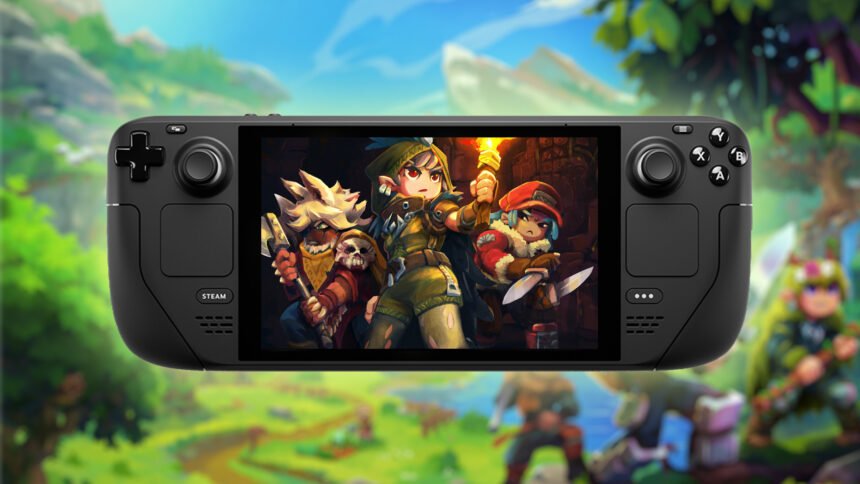
Hytale isn’t officially Steam Deck compatible, but it’s still playable on Valve’s handheld PC. You can access the game and even add it to Steam by using the Hytale Linux installer. Instructions for how to do this are below.

How to install Hytale on Steam Deck

The full instructions on how to install Hytale on the Steam Deck and have it appear with full cover art are fairly long, but the process is easy to do.

Here’s how to install Hytale on Steam Deck:

  1. Switch your Steam Deck to desktop mode and open your web browser
  2. Navigate to the Download tab of the Hytale website
  3. Scroll down and click on the Linux installer/version to download it – or click this link to download it directly
  4. Go to your downloads and double-click the Hytale flatpak installer
  5. When the Discover store window appears, click on the ‘Install from local bundle’ option in the top right
  6. At this point you may need to enter your Steam password, which you can do via Discover > System > Users, where you can select your account and hit the Change Password button to set a password
  7. Launch Hytale and sign in to your Hytale account. Some users have reported that clicking the sign-in button doesn’t work, in which case you should follow the extra steps detailed here
  8. Once logged in and the game has successfully loaded, close it down again
  9. Go to the SteamOS button on the desktop and go to All Applications to find the Hytale shortcut
  10. Use the left trigger to bring up the right-click menu for this shortcut and choose the Add to Steam option
  11. Hytale will now be available for you to launch directly from your Steam library
See also  Grab Red Dead Redemption 2 and five other top Steam Deck games for up to 75% off

If you’d like to add cover art for the game in your Steam library – so it looks like the top version in the image below, rather than the bottom version – you can find instructions on how to do this here.

hytale steam deck launcher

The installation process is simpler for the best gaming handhelds that run Windows, as it’s just like installing a game on any other gaming PC.


You Might Also Like

Save $210 on this Alienware gaming laptop with a new Nvidia GeForce RTX GPU

AOC just revealed two new 610Hz gaming monitors, and one is CS2 branded

Forget Steam Frame, you can get up to $70 off the Meta Quest 3S in this early Black Friday sale

Save $30 on this small Razer wireless gaming mouse, perfect for traveling

It's official – "another wave" of Intel Core Ultra Arrow Lake CPUs is coming

TAGGED:Hardware
Share This Article
Facebook Twitter Copy Link
Previous Article fallout london Fallout: London Project Lead Thinks Bethesda Should Sell Fallout IP to Another Developer
Next Article Elden Ring Nightreign fixes awful raids, buffs 3 Nightfarers Elden Ring Nightreign fixes awful raids, buffs 3 Nightfarers
Leave a comment Leave a comment

Leave a Reply Cancel reply

Your email address will not be published. Required fields are marked *

Latest News

Death Stranding 2: On the Beach is Getting More Modes and Features on PC and PS5
News February 14, 2026
Silent Hill Townfall_03
Silent Hill: Townfall is a “Full-Length, High-Quality Game” But Will Only Cost $50 per Best Buy
PC Game February 14, 2026
Marathon_03
Marathon Season 1 Adds Ranked Mode, 2 New Maps, and All Faction Progression Trees
Upcoming February 14, 2026
Valve just made Steam user reviews infinitely more useful with the option to add your gaming PC specs
Hardware February 14, 2026
Bootstrap Island To Exit Early Access Next Month
VR News February 14, 2026
How to unlock all classes (collars) in Mewgenics
PC Game February 14, 2026
Marathon Won’t Have Aggression-Based Matchmaking, Console Players Can Turn Off Cross-Play
News February 14, 2026
gamexplore gamexplore

Welcome to Gamexplore, your go-to destination for everything gaming. We are dedicated to delivering the latest updates, in-depth insights, and expert analysis from the ever-evolving gaming industry.

Editor Choice

All Tomb puzzle solutions in Blue Prince
MotoGP 25 Review – Peak Bike Racing
Assassin's Creed Shadows pre-orders are doing okay, as you'd hope given Ubisoft just reaffirmed hopes for more Assassin's Creed-y things and live services in the future
Palworld’s next big update is a Terraria collab — something Pokémon would never do

Trending News

Tides of Tomorrow is an ocean planet multiplayer adventure game coming next year
Wanderer: The Fragments Of Fate Review – An Ambitious Puzzle Adventure In Need Of More Time
The Witcher 4 Might Feature Plot Elements From the Crossroads of Ravens Novel
Black Myth: Wukong Launches on August 20th for Xbox Series X/S
  • About Us
  • Contact Us
  • Disclaimer
  • Privacy Policy
  • Terms of Service
Reading: Is Hytale Steam Deck compatible?
Share
© 2025 All rights reserved | Powered by Gamexplore
Welcome Back!

Sign in to your account

Lost your password?