What are the best Valheim mods? Valheim doesn’t officially support modding, but that hasn’t stopped the community from building tools to alter the game. We would love for Valheim to support Steam Workshop to make modding considerably easier; unfortunately, you will have to jump through some hoops to improve your Viking experience.
Before proceeding with these mods, it’s worth backing up your save data just in case anything goes wrong. Depending on the mods you end up using, it might not be possible to transfer a character from a modded game back to the original version.
As mentioned, the developers of Valheim never intended to support mods officially – some mods may have unique installation methods depending on how much they interact with the game. Fortunately, the majority of mods use BepInEx, a modding framework for the Unity game engine.
Once you’ve copied the files into the Valheim folder, installing mods using BepInEx is easy: simply drag the mod files into BepInEx’s plugin folder. Not every mod is installed like this, so it’s important to double-check the installation instructions for each mod you download.
If you’re searching for a new way to experience Valheim, these mods should have everything you need.
The best Valheim mods are:
Expanded Crafting Range
Don’t you just hate it when you’re trying to build something in your base only to be stopped by unnecessary restrictions? The default crafting range forces you to create structures to stand on when you’re constructing anything tall, causing you to spend more time planning and less time building. Using holybananapants’s Extended Crafting Range mod, you can adjust the crafting range at will, and it even lets you disable the roof requirement for each station.
Better Trader
The Better Trader mod adds a custom shop to your server with a ton of new and rare items for sale. You can customize this to your liking, adding epic loot, or just expanding the basic options to get your base off the ground – so to speak.
HD Valheim
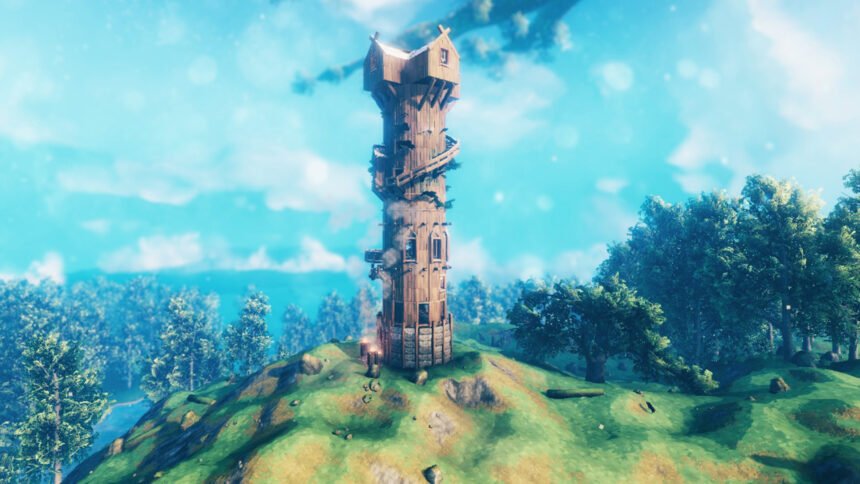
Some might consider it to be a crime to change Valheim’s unique art style, but the HD Mod from Willybach attempts to upgrade the game’s visuals without making many compromises to the original style. In order to do this, Willybach has brought together several visual mods to drastically change the textures, making the overall image of the game appear sharper than ever before.
Equipment and Quick Slots
There are some quality of life tweaks out there that will make you wonder how you ever lived without them – the Equipment and Quick Slots mod by RandyKnapp is one of those tweaks. This mod separates your equipped items into designated slots, freeing up your inventory to give you a clear view of everything you have.
The quick slots are where this mod truly shines, giving you instant access to any items you deem important enough to be used at any time. If you’re taking a trip through the woods, and you’re worried about being poisoned, you can keep a potion ready just in case a creepy-crawly catches you out.
Custom Textures
Customize and redefine what Valheim should look like with the Custom Textures mod by aedenthorn. If you can see a texture, this mod gives you the ability to replace it with any custom PNG file you have. That includes player models, terrain and water, environmental textures, and much more. As long as you have the creative brain to think of ways to re-texture the game, it’s possible to make Valheim look like a brand-new indie game.
Valheim Legends
Cast your mind back several years ago, when developers were trying to add Overwatch-like heroes to every game. Well, torann has gone out of their way to do the same thing to Valheim, and it works significantly better than you might think. The original Legends adds 12 heroes to the game, each equipped with their set of abilities.
For example, you can play alongside tanky classes such as the Warrior and Berserker as a Mage, providing long-distance spells such as Fireball, Ice Shard, and Frost Nova to root your opponent to the ground. This mod was abandoned by the original creator, but Visteus has brought it back to life with the latest update. Check out the new Legends to learn more.
Hearth and Home Old Food Stats
The Hearth and Home update made giant changes to the way the food system worked, changing the values of almost every meal in the game. Some people are unhappy with these changes, as each meal now provides the player with either health or stamina, not both. This can be annoying if you’ve worked hard to acquire rare items, only for your food to be nerfed in the most recent patch. Use the Hearth and Home Old Food Stats mod to give your hard-earned meals the stats they deserve.
Epic Loot
Valheim separates itself from other survival games by forcing players to craft their own weapons and armor as they progress through the game. If you want to make the loot in Valheim akin to an RPG like Diablo, the Epic Loot mod adds magical items into the loot pool to spice things up.
With this mod, magical armor and weapons can be acquired from slain enemies, chests, and boss fights. This comes in the form of different rarities (rare, epic, and legendary), and the magical properties are assigned randomly to create a very different Valheim experience. These magical items, by default, rarely ever appear as their drop percentage is low, but when you do find one, the item emits a colorful beam into the sky to help you pick up your loot.
Valheim World Generator
Exploring your Valheim world can take a very long time, especially as a solo player. Fear not, as the Valheim World Generator is here to help. You can use this tool on your existing world seed, allowing you to see your entire map along with the exact locations of each boss and item. This is available through a web browser, meaning you don’t have to install anything on your computer.
First Person View
Add another camera option to Valheim with this First Person View mod. Valheim gives you the option to zoom in and out in third person. However, there are moments when playing in first person would be helpful. Whether you want to gaze across the ocean as you quietly fish, or you want a better angle to hunt deer with a bow and arrow, the first-person mod is perfect for all kinds of scenarios.
Plant Everything
If you want to live entirely off your land in Valheim, you don’t have many options when it comes to farming. Whether you’re looking to avoid eating meat in-game or you simply would like to plant different things, this mod should make things much easier. The Plant Everything mod allows you to place numerous berry bushes, mushroom spawns, and tree saplings to create the perfect farm.
Clock
It can be difficult to keep track of the time in Valheim, especially when fighting in dark biomes like the Swamp where the sun isn’t visible throughout the day. The Clock mod makes it easy to keep track of the time, ensuring that you can hunt during the day and be back in your camp before the sun goes down. This isn’t the most glamorous mod on the list, but it is incredibly useful if you want to avoid being attacked by enemies at night.
Better Archery
Not only does the Better Archery mod improve the general feel of archery, but it also adds several features and items that make this an essential mod for our playthroughs. Each type of arrow now has a chance of being retrievable after being shot, there are new quivers you can craft, the crosshair actually indicates where your arrow will go. The changes are many; we suggest installing this and trying it for yourself.
If you want to change how you play without using mods, then elsewhere on you should check out our full Valheim commands and cheats guide, plus our list of every Valheim item spawn code. And If you’re looking for the ideal starting point, our pick of the best Valheim seeds will put the best the game has to offer on your doorstep.