By using this site, you agree to the Privacy Policy and Terms of Use.
Accept
GamexploreGamexplore
  • Home
  • News
  • PC Game
  • Mobile
  • VR News
  • Hardware
  • Guides
  • Reviews
  • Upcoming
Reading: How to Tell if Your PC is Ready for Quest Link & Air Link
Share
Notification
GamexploreGamexplore
Search
  • Home
  • News
  • PC Game
  • Mobile
  • VR News
  • Hardware
  • Guides
  • Reviews
  • Upcoming
Follow US
© 2025 All rights reserved | Powered by Gamexplore
Gamexplore > My Bookmarks > VR News > How to Tell if Your PC is Ready for Quest Link & Air Link
VR News

How to Tell if Your PC is Ready for Quest Link & Air Link

July 31, 2026 5 Min Read
Share
5 Min Read
How to Tell if Your PC is Ready for Quest Link & Air Link
SHARE

Table of Contents

Toggle
      • Meta Horizon Link & Air Link Compatible Graphics Cards
      • Horizon Link & Air Link CPU, RAM, USB, and Operating System Recommended System Requirements
  • Horizon Link vs. Air Link
      • Tethered: Horizon Link Cable
      • Wireless: Air Link Network Recommendations

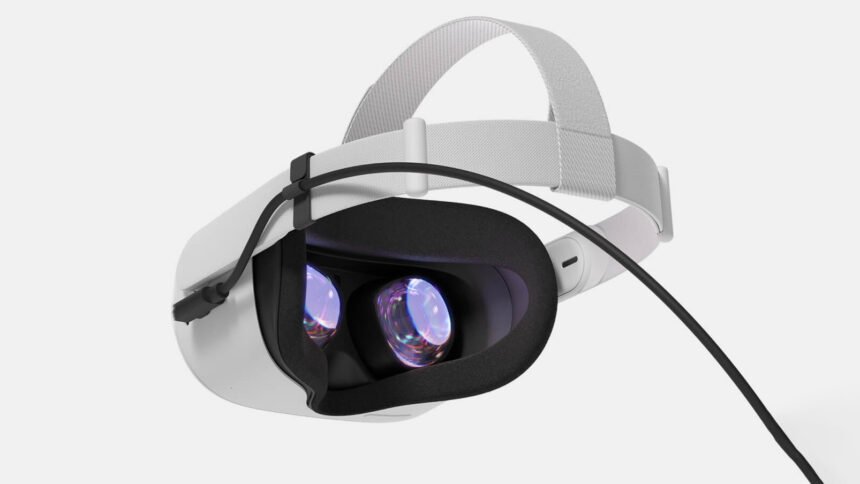
Meta Horizon Link and Air Link allows you to use your Quest headset to play PC VR games, opening up a world of high quality content that you simply won’t find on the Quest Store. Here’s a breakdown of the Link and Air Link recommended system requirements and hardware specs, and what you’ll need to use everything from the original Quest to Quest 3S to play Rift and SteamVR games on your PC.

Updated – July 30th, 2026

Looking to make your Quest 3 gaming experience even better? Don’t miss our top picks for the most essential Quest 3 accessories.

You’ll need a reasonably powerful PC to play Rift and Steam games on Quest via Link & Air Link, though many modern gaming PCs with NVIDIA or AMD graphics cards will fit the bill.

Here’s the PC hardware you’ll need for Quest, Quest 2, Quest Pro, Quest 3 and Quest 3S to work on PC. Notably, neither Intel Arc GPUs nor workstation GPUs are supported.

Meta Horizon Link & Air Link Compatible Graphics Cards

GPUSupportedNot Currently Supported
NVIDIA Titan Z✖
NVIDIA Titan X✔
NVIDIA GeForce GTX 970✔
NVIDIA GeForce GTX 1060 (desktop, 3GB)✖
NVIDIA GeForce GTX 1060 (desktop, 6GB)✔
NVIDIA GeForce GTX 1060M✖
NVIDIA GeForce GTX 1070 (all)✔
NVIDIA GeForce GTX 1080 (all)✔
NVIDIA GeForce GTX 1650✖
NVIDIA GeForce GTX 1650 Super✔
NVIDIA GeForce GTX 1660✔
NVIDIA GeForce GTX 1660 Ti✔
NVIDIA GeForce RTX 20/30*/40/50 series (all)✔
AMD 200 Series✖
AMD 300 Series✖
AMD 400 Series✔
AMD 500 Series✔
AMD 5000 Series✔
AMD 6000 Series*✔
AMD 7000 Series✔
AMD 8000 Series✔
AMD 9000 Series✔
AMD Vega Series✔

*NVIDIA 3050 (laptop) and 3050ti GPUs are not recommended for use with Link
*Radeon RX 6500 is not recommended for use with Link

Horizon Link & Air Link CPU, RAM, USB, and Operating System Recommended System Requirements

Processor

Intel i7 / AMD Ryzen 7 or greater

Memory16GB+ RAM
Operating SystemWindows 10+
USB Ports1x USB-C port (unless using Air Link)

Horizon Link vs. Air Link

What’s the difference between Horizon Link and Air Link? Horizon Link uses a cable to connect your headset directly to your PC. This will generally result in the best visual performance, and in most cases it will let your headset’s battery last significantly longer than if you use Air Link.

See also  EssilorLuxottica Acquires French XR Startup Lynx, Putting R2 Headset Release in Doubt

Air Link is the same feature as Horizon Link, except wireless. If you have an ideal network configuration, Air Link can be a great way to easily play PC games wirelessly with Quest. Without an ideal network configuration, you might have issues with Air Link (like lag or low quality visuals).

Tethered: Horizon Link Cable

Horizon Link technically works with any USB cable, including the one that comes in the box with Quest, but without a fairly long cable you won’t have much room to move around. If you’re only planning to play seated games like racing or flying sims, you can probably get by with the included cable, but you’ll probably want to buy a dedicated cable that’s long enough that you can really spread your virtual wings.

An inexpensive option is to combine this Anker 10ft USB 3.0 cable with this CableCreation 16ft USB 3.0 extender for a total of 26 feet for under $40 from Amazon.

Alternatively, Meta sells a lighter (but much more expensive) 16ft USB 3.0 Horizon Link cable for $80, also available on Amazon.

Whether you pick a third-party USB 3.0 cable or Meta’s own cable, both will give you the same visual experience when used with Meta Link.

Wireless: Air Link Network Recommendations

You’ll need a properly configured network for Air Link to deliver a good wireless PC VR experience. Here’s what to do to ensure the best performance:

  • PC connected to router/access-point via Ethernet cable
  • Router supporting Wi-Fi 5 (also called 802.11AC) or Wi-Fi 6 / Wi-Fi 6E (also called 802.11AX)
  • Headset connected to 5GHz Wi-Fi band
  • Router in the same room as the headset or in line-of-sight, and at least 1m off the ground
  • Don’t use a mesh network configuration (extenders, etc)

See also  Tactical Assault VR Owner Steps Down After Community Response To Prior Criminal Conviction

You Might Also Like

Real VR Fishing Devs Explore Hand Tracking With Fishing Haven On Apple Vision Pro

A Developer Built A Real-World Ad Blocker For Snap Spectacles

Apple reportedly slashes its Vision roadmap for smart glasses, and Meta’s lead matters more than ever

Synth Riders Developer Confirms "Major Layoffs" In December And January

Netflix Acquires XR Avatar Startup Ready Player Me

TAGGED:Virtual RealityVRVR Game
Share This Article
Facebook Twitter Copy Link
Previous Article Cave Crave Adds Tham Luang Location On Quest, With PlayStation VR2 & PC VR Coming Soon Cave Crave Adds Tham Luang Location On Quest, With PlayStation VR2 & PC VR Coming Soon
Next Article rules of engagement 05 Rules of Engagement: The Grey State Showcases Co-Op PvE Gameplay in New Trailer
Leave a comment Leave a comment

Leave a Reply Cancel reply

Your email address will not be published. Required fields are marked *

Latest News

rules of engagement 05
Rules of Engagement: The Grey State Showcases Co-Op PvE Gameplay in New Trailer
Upcoming July 31, 2026
Cave Crave Adds Tham Luang Location On Quest, With PlayStation VR2 & PC VR Coming Soon
VR News July 31, 2026
Assassin Creed is getting a huge boost from Nolan's The Odyssey
PC Game July 30, 2026
Silent Hill Townfall_02
Silent Hill: Townfall is “Leaning Into” Expectations But Also “Massively Subverting” Them, Says Director
News July 30, 2026
Gears of War: E-Day’s Horde Mode Is Bigger Than We Expected
PC Game July 30, 2026
First Impressions: My first three days living in the MMORPG simulation SEED
Mobile July 30, 2026
Space Marine 2 now has Steam Workshop support - here's what we want to see first
Space Marine 2 now has Steam Workshop support – here's what we want to see first
Hardware July 30, 2026
gamexplore gamexplore

Welcome to Gamexplore, your go-to destination for everything gaming. We are dedicated to delivering the latest updates, in-depth insights, and expert analysis from the ever-evolving gaming industry.

Editor Choice

Indie MMORPG Project Gorgon is set to launch early this afternoon
Climate Station Explores Climate Change Through An Interactive Story On PS VR2
Star Wars: Fate Of The Old Republic Adds Far Cry, Assassin’s Creed Veteran as Studio Art Director
ARC Raiders Fixes Rocketeer’s Combat Alert Sound to Pre-Flashpoint in Latest Update

Trending News

Fatal Fury: City of the Wolves Celebrates First Anniversary With Major Update on April 24th
Where to find high security lockboxes in The Outer Worlds 2
Call of Duty: Modern Warfare 4 Will Have Campaign Advanced Access, Starts on October 16th
Marvel Tōkon: Fighting Souls Outlines Blade, Black Panther and Danger in New Character Guides
  • About Us
  • Contact Us
  • Disclaimer
  • Privacy Policy
  • Terms of Service
Reading: How to Tell if Your PC is Ready for Quest Link & Air Link
Share
© 2025 All rights reserved | Powered by Gamexplore
Welcome Back!

Sign in to your account

Lost your password?