What is Nvidia DLSS? Deep Learning Super Sampling, or DLSS, is a suite of software technologies that use AI to help you boost your frame rate or game image quality. Originally just a technique for upscaling games from a lower to a higher resolution, DLSS has since expanded to become a range of techniques, including options to generate entirely new frames using AI, using AI to improve ray tracing image quality, and there’s even DLSS AI-based anti-aliasing. AMD offers a rival suite of technologies called FidelityFX Super Resolution (FSR), and Intel also has its XeSS tech.
You’ll need a GPU from Nvidia’s GeForce RTX lineup in order to use DLSS, plus some features are exclusive to newer generations of these cards. This is one of the key differences between DLSS and both AMD FSR and Intel XeSS, as several of the features of FSR and XeSS are available to any graphics card, though not all of them. Nonetheless, DLSS can be transformative for performance and image quality, allowing you to more easily enjoy the best PC games at high refresh rates. Click below to find out more about each DLSS feature.
DLSS Super Resolution
DLSS Super Resolution was originally the only feature of DLSS. It aims to improve the frame rate of your games by letting you render them at a lower resolution, then upscale the output to fit the higher resolution of your monitor. Unlike simply running a game fully at a lower resolution, DLSS doesn’t squash the menus and HUD of the game, plus it aims to provide much better final image quality.
The first version of DLSS (retroactively called DLSS 1) was not very good, and was effectively completely reworked and replaced by DLSS 2 not long after. With the introduction of DLSS 3, DLSS upscaling became known as DLSS Super Resolution.
There are still five games listed on Nvidia’s DLSS compatibility list that haven’t been updated to DLSS 2 – including some bigger titles than you might expect, such as Battlefield 5 – but all the other hundreds of games use DLSS 2 or newer versions of Super Resolution.
All versions of DLSS Super Resolution upscaling work by having a game render the 3D part of the scene (i.e. not the menus and HUD) at a lower resolution than that selected in the game’s video settings (which will generally be the maximum resolution of your monitor). How much lower depends on which setting you choose – Quality, Balanced, Performance, etc.
Once the initial frame image is rendered, the upscaling algorithm takes that image, compares it to the previous frame of the game, and uses its AI-trained algorithm, along with data from the game such as movement vectors, to best approximate what the final image should have looked like when rendered at the higher resolution. Once done, the HUD is layered back on top, and the final frame is sent to your display.
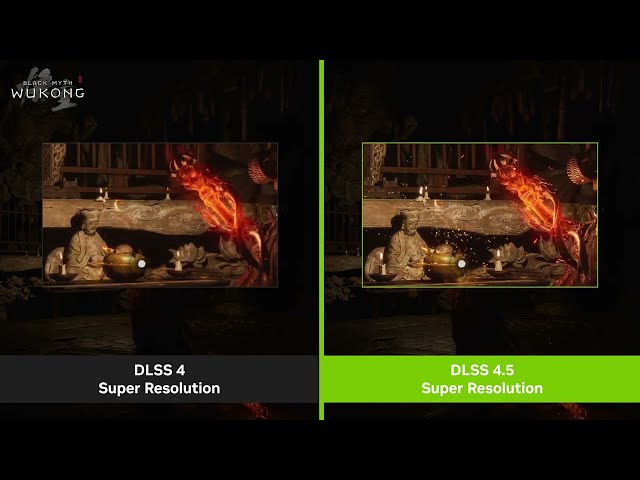
Newer versions of DLSS have steadily improved the image quality of this algorithm, with DLSS 4 including a complete change in the type of AI algorithm used, from a Convolution Neural Network (CNN) to a Transformer algorithm. This brought a big improvement in image quality, though did result in slightly lower frame rates compared to the CNN model.
Using DLSS Super Resolution, you can expect to unlock a performance improvement of somewhere in the region of between 20% and 100%, depending on the quality setting you choose. So good is DLSS now that we generally do recommend trying it, particularly at its higher scaling settings (quality or balanced). If you’re looking to squeeze out just a little extra performance, such as jumping from 45fps to a steady 60fps, it’s an ideal tool for doing so.
DLAA
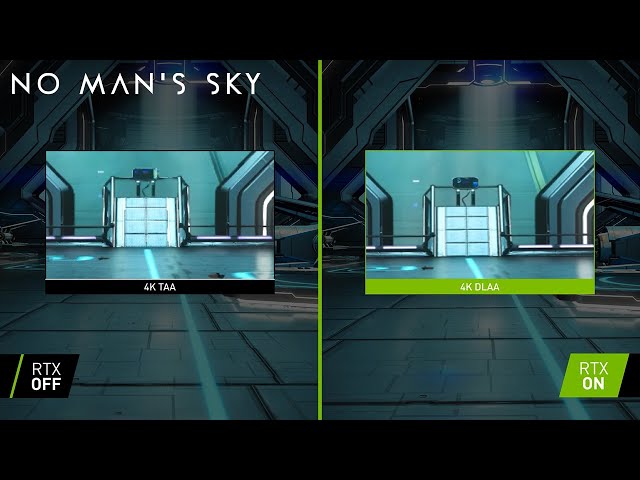
Deep Learning Anti-Aliasing, or DLAA, is a later addition to DLSS that takes one of the main advantages of DLSS Super Resolution – its ability to apply anti-aliasing to a scene via its upscaling algorithm – and applies it without any upscaling. This allows it to provide excellent-quality anti-aliasing with next to no performance hit. It’s effectively just a type of temporal anti-aliasing (TAA), but is generally far superior.
DLSS Frame Generation
DLSS got really confusing around the time of DLSS 3’s launch. This is when DLSS Frame Generation was introduced, shifting DLSS from being all about upscaling to being a suite of AI technologies. Where DLSS Super Resolution, then, was all about trying to improve frame rate by upscaling each frame, DLSS Frame Generation uses AI to generate entirely new extra frames.

The first version of Frame Generation, introduced with DLSS 3, could only generate one frame, to effectively double the perceived frame rate of your games. However, DLSS 4 expanded this to up to being able to generate up to three extra frames – called Multi Frame Gen – to quadruple your frame rate.
With the introduction of DLSS 4.5, Nvidia has taken things even further, allowing for five extra frames to be generated by AI, for a 6x increase in perceived frame rate.
I say “perceived” as there’s a lot of controversy around frame generation, with some gamers not considering the generated frames to be real and a true reflection of performance. In particular, while frame generation can be quite convincing visually, what it can’t do is continue to respond to your inputs while it’s generating AI frames. So, each time you move your mouse, for instance, you might be waiting for up to five frames to be rendered before you actually see the updated movement on screen. This can result in a floaty, “moving through treacle” feeling.
What’s more, frame generation actually impacts the “real” or base frame rate of your game. Where a game might run at, say, 40fps without frame gen, with frame gen, that base frame rate might drop to around 35fps before then having all the extra frames added in, resulting in a percieved frame rate of, say, 210fps (6 x 35fps). Crucially, it’s this base frame rate which is what you feel in a game, and it’s why we recommend not using frame gen at all unless your starting frame rate is already well over 60fps, as the results can feel weird otherwise.
DLSS Dynamic Frame Generation
Introduced alongside the new 6x frame generation mode and latest Super Resolution algorithm in DLSS 4.5, dynamic frame generation is a new option that lets you set a target frame rate for frame gen. This means a game will only use frame gen when it needs to hit that frame rate.
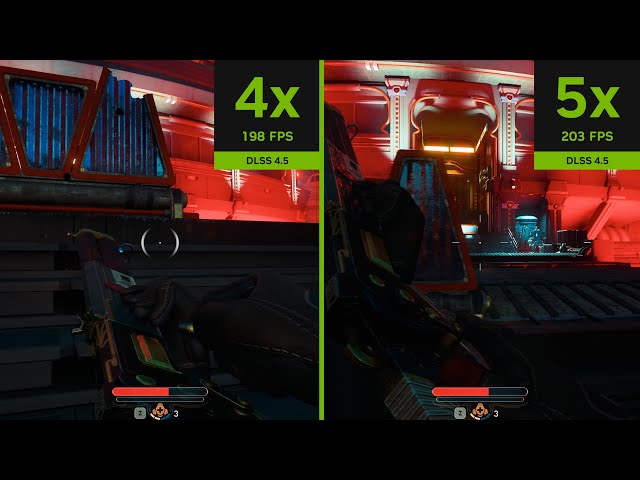
This is a major improvement over static multi frame gen, as it means you can maximize image quality and the responsive experience of playing without frame gen but then ensure that you still get a smoother-looking experience when your base frame rate drops. Like with normal frame gen, it’s not going to feel great if your base frame rate is already really low, but if a game typically runs at between, say, 60 and 120fps, enabling dynamic freame gen and setting the frame rate limit to 120fps could make for a great experience.
DLSS Ray Reconstruction
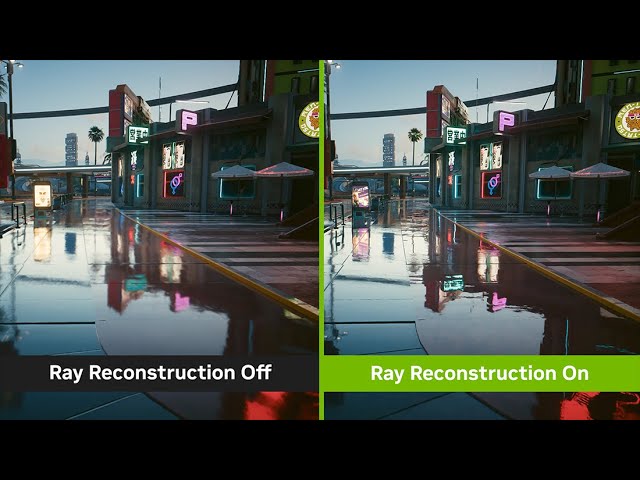
DLSS 3.5 introduced a new feature to DLSS: Ray Reconstruction. What this feature does is improve the quality of ray-traced reflections by using AI-enhanced algorithms to better estimate how light is scattered from the reflected surface. The result is much sharper ray tracing effects with less likelihood of flickering and changes in the effect from frame to frame.

It’s a very clever feature that works very well while having relatively minimal impact on performance. If its available in a game you play, you can fairly safely turn it on without risking a plummeting frame rate.
Which graphics cards support DLSS?
All of Nvidia’s RTX graphics cards support some form of DLSS, with all previous cards and any competitor cards from AMD or Intel not supported. For the latter, you’ll need to use FSR or XeSS.
However, not all RTX cards support all features of DLSS. In particular, DLSS frame generation is only available to RTX 4000 series or newer cards. Meanwhile, DLSS multi frame gen is also only available on RTX 5000 series cards. Oddly, despite being introduced after frame gen, DLSS 3.5 ray reconstruction is available to all RTX cards. Yes, DLSS got really confusing once they went beyond it just being an upscaling tool.
The reason Nvidia gives for locking down DLSS access is that some or all of the features tap into its GPU’s Tensor cores. These are the processors that are optimized for machine learning-type calculations – matrix multiplication and the like. AMD and Intel have somewhat proven that these features aren’t needed to get a version of upscaling and frame generation working, although both have now introduced versions of FSR and XeSS that are locked down to using their GPU’s equivalent AI cores.
Which games support DLSS?
You can find a full list of all games and apps that include Nvidia DLSS features via this link. There are currently just under 1,000 entries on the page, and Nvidia breaks down which features each game or app supports.

It’s up to developers to add DLSS to their games, meaning not all games support it, and users can’t just turn the feature/s on using the latest Nvidia driver. Instead, Nvidia has to make a concerted effort to encourage game developers to add DLSS features to their games. However, gamers can sometimes force DLSS features on using third-party tools, plus the Nvidia App has a DLSS Override option that lets you choose the DLSS model to use, overriding an older version of DLSS that might have been added to an old game.
Nvidia DLSS vs AMD FSR: What’s the difference?
At this point, both Nvidia DLSS and AMD FSR offer fairly similar sets of features, but there are significant differences throughout, all of which would take an age to explain. The short version is that Nvidia is ahead of the curve, with all of its upscaling, frame gen, and ray reconstruction techniques offering superior image quality and performance to AMD’s equivalents, even if the difference isn’t always huge.
However, AMD is constantly improving FSR, with the recent AMD Redstone edition providing a big leap in frame gen image quality over previous versions.