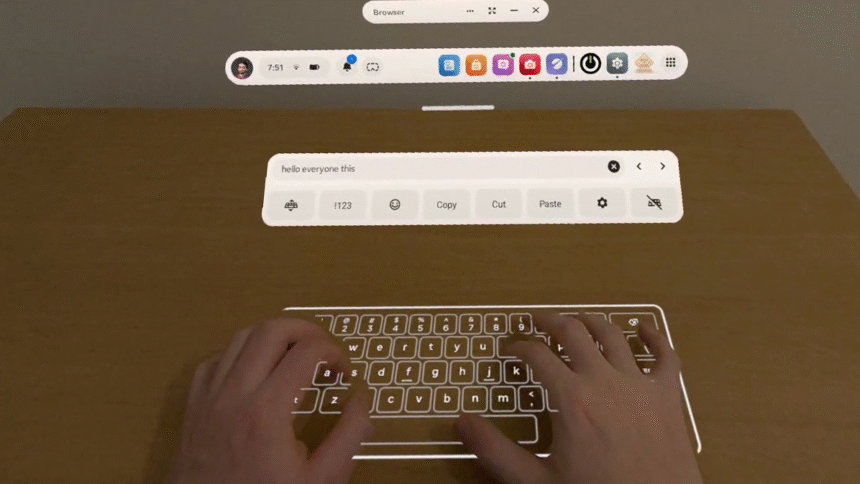
With Horizon OS v85 PTC, Quest 3 can turn any surface into a virtual keyboard, and Meta says you can remap the Quest 3S action button.
The Public Test Channel (PTC) is the beta release channel of Quest’s Horizon OS. If you opt in, your headset receives a pre-release build of each upcoming version.
Note that there are often features in the eventual stable version not present in the PTC, and occasionally (but rarely) features or changes in the PTC don’t make it to the stable version.
Here are 2 key features Meta is testing in Horizon OS v85 PTC:
Surface Keyboard
Text entry is a notorious challenge for XR devices when you’re not carrying a connected Bluetooth keyboard.
Exclusively available as an experimental feature on Quest 3, and not the cheaper Quest 3S, Surface Keyboard adds a virtual keyboard on top of any surface, such as a table or desk.
To set it up, you place your hands flat on the table where you want the keyboard to be positioned, and a few seconds later it spawns. This is the height calibration step.
UploadVR testing the Horizon OS v85 PTC Surface Keyboard.
Testing Surface Keyboard out for the first time, as you can see in the video below, I found it to be remarkably accurate. The ability to rest my hands makes it far preferable to a floating virtual keyboard, and I can type far faster already.
For me, and on the current build at least, it only shows up in the Horizon OS home space, passthrough or virtual. Meta has an API for developers to use the floating keyboard, and we’ll keep an eye out for any signs of a similar API for Surface Keyboard when the feature launches to the stable channel.
Meta Research Turns Any Surface Into A Virtual Keyboard
Meta is researching turning any flat surface into a virtual keyboard, leveraging ambient haptics.
Meta has been researching this technology for at least six years, and executives showed off a well-along prototype in 2023, with Mark Zuckerberg claiming he could reach 100 words per minute. However, that prototype required a tracking marker tag on the table, as could be seen in the clips Meta shared at the time. And the company didn’t disclose the error rate of the prototype.
Then, in 2024, researchers from Meta and ETH Zurich said that they had solved the problem of turning any surface into a keyboard, without markers, by combining a by combining a neural network that predicts touch events with a language model.
Meta hasn’t said whether this research is what led to the shipping feature, but it seems likely to at least be related.
Researchers Say They’ve Solved Turning Any Surface Into A Keyboard
Researchers from Meta and ETH Zurich developed software called TouchInsight, which they say solves turning any surface into a virtual keyboard.
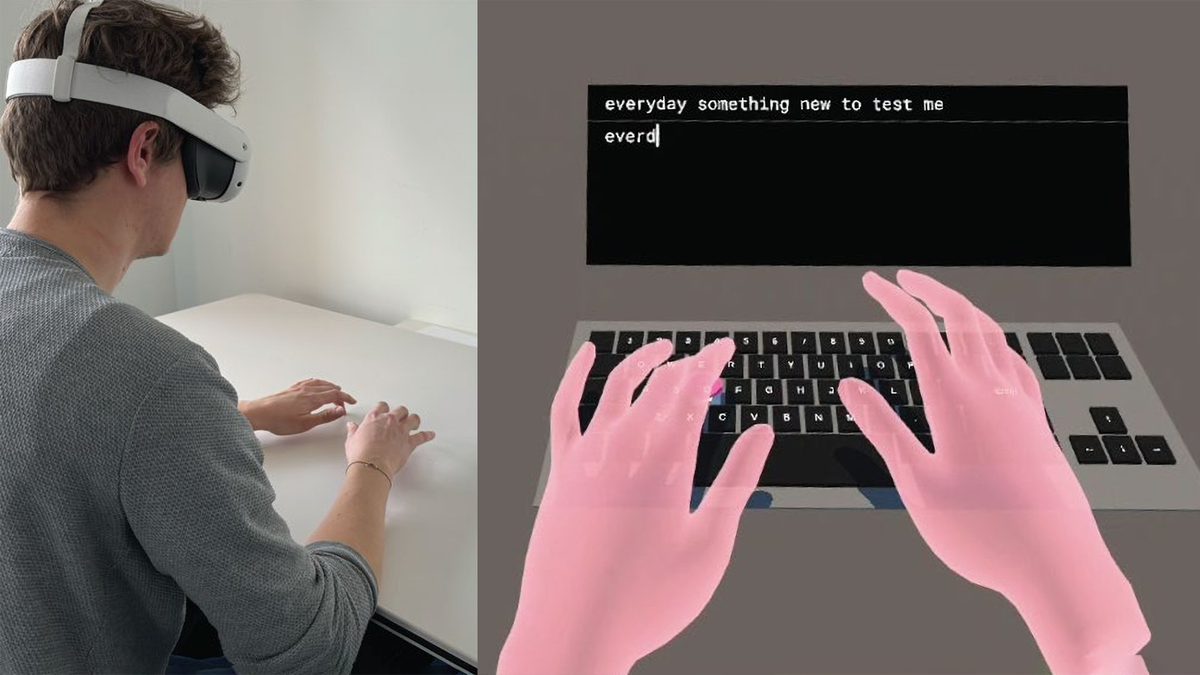
You can find Surface Keyboard in the Advanced settings on Horizon OS v85 if you have a Quest 3.
It’s unclear why the feature isn’t (yet) available on Quest 3S.
Remap Quest 3S Action Button
While Quest 3S doesn’t currently have the Surface Keyboard feature, it does get its own new exclusive feature in Horizon OS v85 PTC, according to Meta.
Quest 3S has an ‘Action Button’, which, since the headset launched, has served one function: toggling passthrough. Press it while in a VR game and the game will pause and you’ll see the real world. It’s essentially a “pause VR, I need to see my surroundings” button.
Now, with v85 PTC, Meta says that Quest 3S owners can remap the Action Button.
Our Quest 3S does not yet have v85 PTC, so we don’t yet know what it can be remapped to. If you have a Quest 3S running Horizon OS v85 PTC and have this ability, please let us know in the comments below.
Navigator Set To Be Default & Horizon Feed Removed
If you missed it, earlier this week we reported Meta’s announcement that “starting” in Horizon OS v85 stable, the new ‘Navigator’ UI will become the default, and, separately, the Horizon Feed will be removed.
Quest’s New ‘Navigator’ UI Becoming Default As Horizon Feed To Be Removed
“Starting” in Quest v85, the new ‘Navigator’ UI is becoming the default, and the Horizon Feed will be “gradually” removed from Horizon OS.
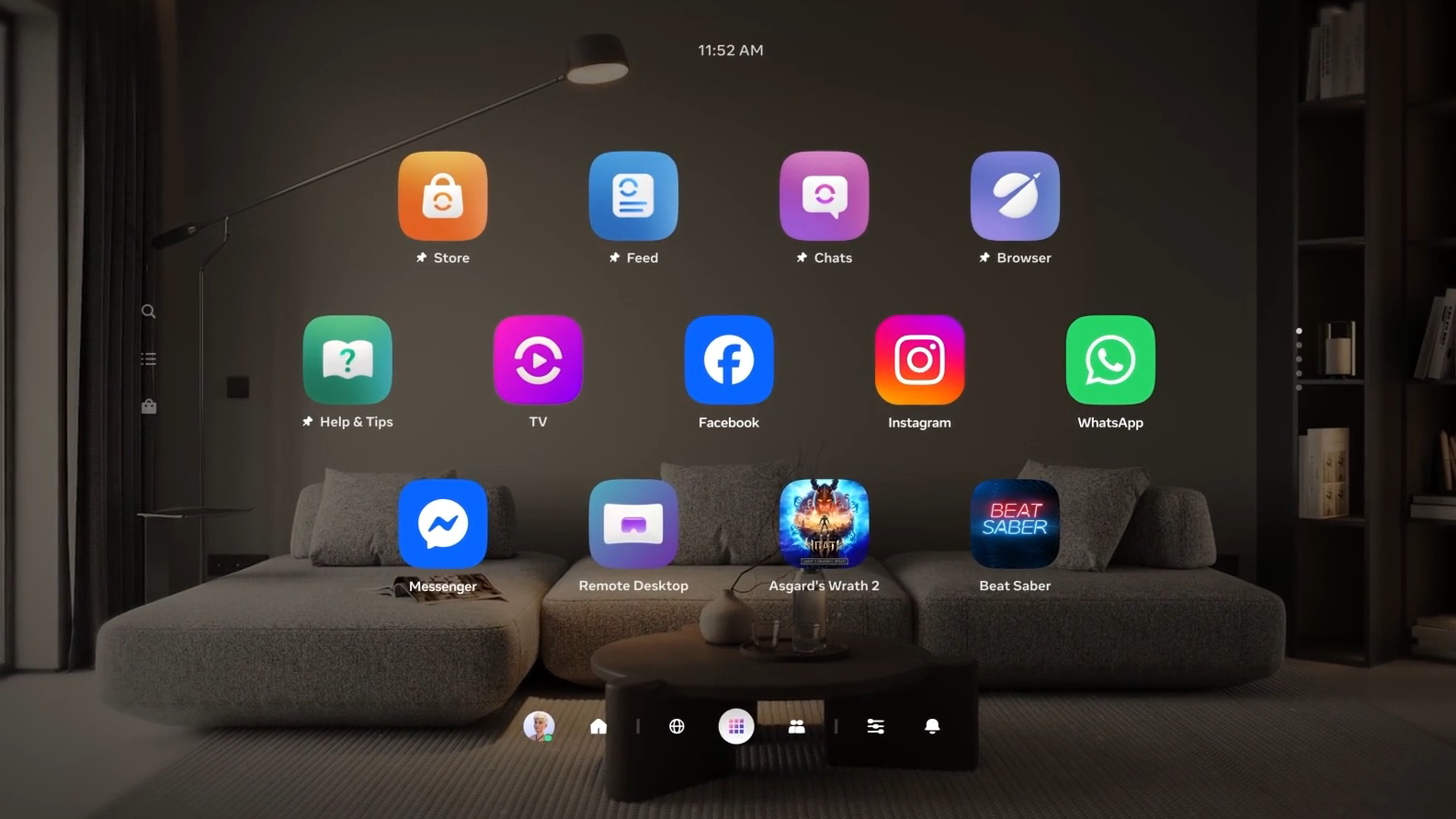
In the PTC build of Horizon v85, at least on my Quest 3, that hasn’t happened yet. This is likely another of Meta’s very slow “rollouts”.