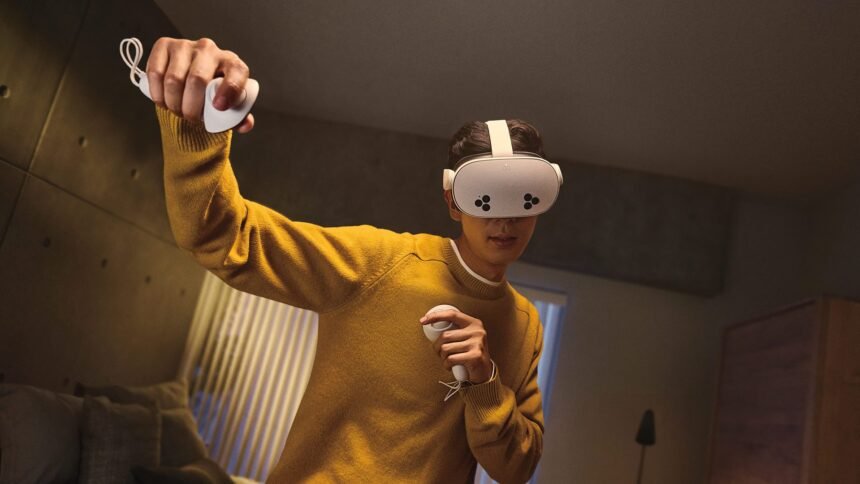
In games, nothing breaks player flow like a loading screen, and in virtual reality this problem is amplified tenfold. ‘Presence’ or ‘immersion’, the magical yet fragile feeling of ‘being there’, is what makes VR so special. When a player is suddenly teleported out of a fantastical world and into a cold, black expanse with a solitary loading bar, the illusion is instantly shattered. Worse yet, unaccounted mini-loads can cause frame rate stutters and subsequent VR sickness. In this Guest Article, VR developer Charlie Cochrane explores a range techniques for designing around immersion-breaking loading screens.
Guest Article by Charlie Cochrane
Charlie Cochrane is a solo VR dev running Crooks Peak studio. With a background in robotics, programming, and a cookie delivery company, he started making hobby VR games in 2016 and went full time in 2021. His sci-fi action horror game ‘By Grit Alone‘ released winter 2024, and the upcoming Victorian zombie train sim ‘Full Steam Undead‘ is due Spring 2026, both available on Meta Quest and Steam.
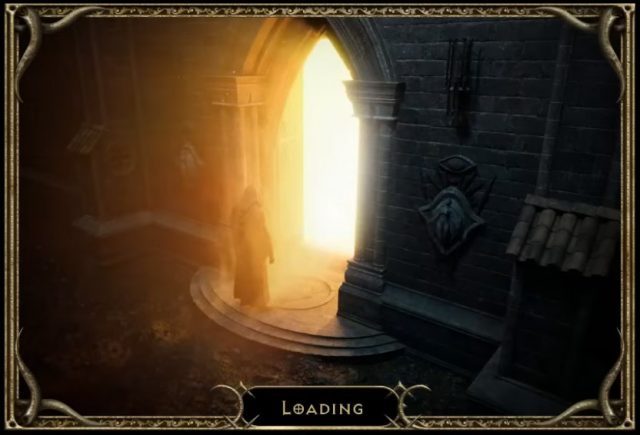
A loading bar in VR doesn’t just pause the game; it teleports the player to a disorienting black void, completely breaking the sense of ‘presence’.
It’s a problem I took as a core design pillar for my previous game, By Grit Alone, and my upcoming title Full Steam Undead. Both feature a ~4 hour campaign with a hard rule: zero loading screens and no framerate stutters.
In this article, I’ll share some of the high-level techniques, from technical wizardry to deceptive tricks, that developers use to minimize or hide loading entirely. The reader should come away with a new appreciation for these invisible systems and a better understanding of why there are so many elevator scenes in games.
The Background Load (Streaming)
The best loads are the ones players don’t even realise are happening. Enter ‘Asset Streaming’; the goal here is to load the game’s assets (models, textures, sounds) in small chunks in the background before they are needed, rather than all at once in a single, game-halting block.
This can be tricky, as the game needs to predict what needs loading and when, so that it’s ready and preloaded at the moment it’s required. It’s a careful balancing act; if you preload too much then you’ll eat up all the memory, while not enough and you may be caught out needing unloaded assets. This can be extra tricky in VR, where memory and processing power can be tight on standalone systems and even the shortest blocking load can cause a noticeable stutter.
Asset streaming can be as simple as loading an MP3 audio file a few seconds before it needs to play. In By Grit Alone, each time you get an NPC radio message, I play a little radio static buzz at the start of the call. This two second clip frames the call nicely, but also buys me two seconds to load the actual message in the background!
A more complex but common example; chunking up a large open world map and loading/unloading those chunks depending on the player’s location and view direction. Asgard’s Wrath 2 is a lovely example of this; done properly the player is able to ride around the massive map without a loading bar in sight. Done poorly and the player will see parts of the world or enemies teleporting in and out of the game.
The Hidden Load (Deception)
Asset Steaming is great, but even then, sometimes the engine just needs more time or memory. For example: the player is moving from one massive area to another, and the new area is too big to be streamed in ‘invisibly’ without first removing the old.
Enter ‘The Elevator’. The player steps in, presses a button, and is forced to wait as they slowly ascend or descend, perhaps while NPCs chat or some stuffy elevator music plays. That (often unskippable) ride is a loading screen in disguise. By placing the player in a small space, the engine can unload the previous scene, free up the memory and then load in the new scene, while the ride gives the engine time to do this in the background.
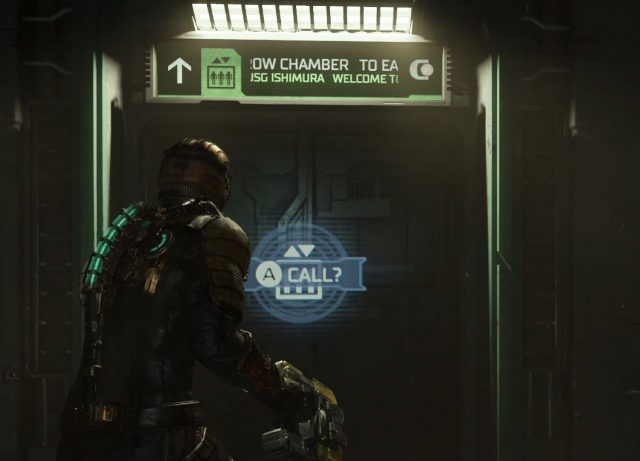
Of course the elevator is just one example, but once you know what to look for, you’ll see these hidden loads everywhere:
- The Tight Squeeze: The player has to shimmy through a narrow rock crevice or between two walls.
- The Slow-Open Door: A character struggles to pry open a heavy gantry door or waits for a high-tech ‘decontamination’ scan before the door opens.
- The Crawlspace: Forcing the player into a vent or low tunnel, where movement is slow and the view is restricted.
These aren’t lazy designs, they are non-intrusive solutions to keep player interactivity in the world, while giving the engine the time and resources to perform loading in the background.
The ‘Pause’ as a Load (Diegetic UIs)
Opinion alert: good VR design integrates UI into the world as a core part of maintaining presence. To me, a pause menu that unnecessarily teleports you out of the game is just as bad as another loading screen. Excellent VR examples of putting menu components into the game world include:
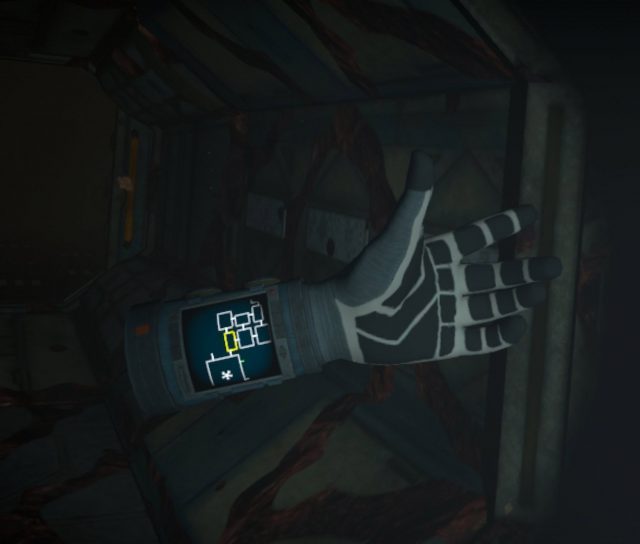
In Cosmodread, an updating map of the spooky ship is wrist mounted and always glanceable:
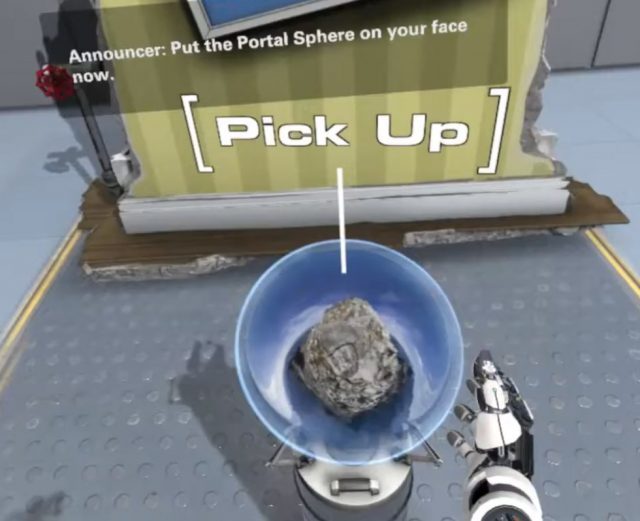
 In The Lab, you load a level by pulling an orb onto your head rather than using a menu of listed levels:
In Into The Radius, you manage your inventory by pulling items out of a physical backpack rather than an inventory menu:
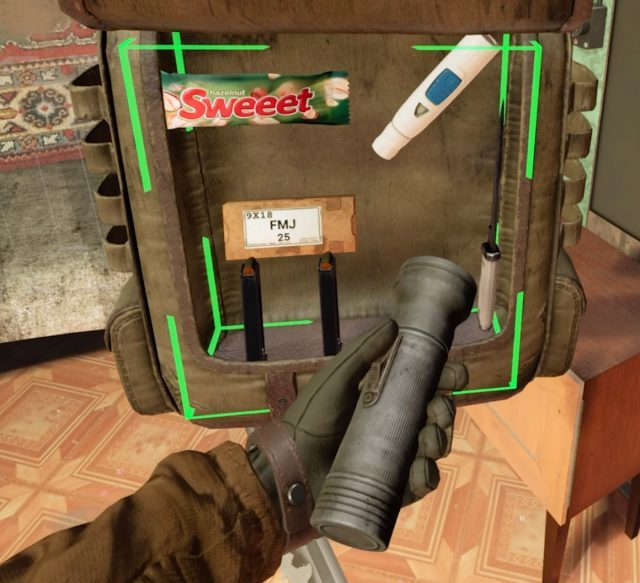
All of these avoid the ‘pause’ and keep the player in the world. Even better, in doing these actions without pausing, the player may be looking over their shoulder when doing so, aware that their environment might not care if they are stopping to check their bag or map.
The ‘Failure’ Load (Instant Resets)
It can be very hard to hide failure (sorry mum), but hiding a load on failure? That we can do!
In a challenging, restart-heavy VR game, failure can be part of the learning loop. Think of Beat Saber or Pistol Whip; having to wait 10 seconds for a ‘Reloading Checkpoint’ between every reset would completely kill the flow.

These games use ‘Instant Reset’. The reason they can restart in a fraction of a second is that they never unload the level. Think of it like a stage show: when an actor flubs a line in rehearsal, the crew doesn’t rebuild the entire set. The director yells “From the top!” and the actors simply reset to their starting positions.
The game is doing the same thing. It’s not reloading the level; it’s just hitting a giant ‘rewind’ button. It teleports you back to the start and resets the enemies and objects to their initial state. The level’s assets never leave memory. While more complex than simply reloading the level from scratch, it respects the player’s time and keeps them in the zone, turning frustration into a simple, “Okay, again!”
The ‘First Time’ Load (Shader Compilation)
When I said my games have no loading screens, that was a little lie; as with many games, the very first time a player starts one of my games, I do a ‘first time load.’
The most common reason for this is for ‘Shader Compilation’. A shader is a small program that tells the GPU how to render a surface—this fire, that wet-looking rock, this glass window. The first time the game needs to show you ‘fire’, it may have to compile that shader, causing a noticeable hitch or stutter in the headset, and this can happen when any new type of surface is shown for the first time.
As with many games, By Grit Alone opted for a simple trade-off: make the player wait once.

When you first boot the game, it runs a one-time shader compilation step. In exchange, the player gets to traverse the entire campaign without a single stutter from a shader being compiled on the fly. It’s a classic ‘pay now or pay later’ problem, but for VR, paying for the load later during gameplay can mean a VR sickness inducing frame stutter.
When You Just Can’t Hide It (The “Honest” Load)
Sometimes there’s no way around a loading screen so obviously keep it as speedy as you can.
It is also important to keep the player’s head tracking active during the load (i.e. if they move their head, the loading bar will stay in place in the tracked environment rather than be stuck to the player’s view). Having a loading bar stuck to your view is the worst reminder that you have a headset strapped to your face.
It can also be a great time for a well placed tip; adding a tip about difficulty settings on By Grit Alone’s first time load saved a lot of player frustration.
Even better is an interactive loading screen. Is it possible to actually enjoy a loading screen? Black and White 2‘s interactive loading screen was a little game unto itself:
– – — – –
In the end, all these techniques serve a single purpose: give the player the best experience possible by reducing or removing unpleasant loading screens and unnecessary pauses. By combining smart technical decisions with clever, context-aware design, we can protect the player’s flow state and deliver on the seamless dream of virtual reality. This is paramount in VR especially, where a loading screen can render the player completely blind in a black expanse or cause sickness-inducing frame rate stutters.
As hardware gets faster, these techniques will certainly evolve, but I have a feeling we’ll still be waiting in elevators and crouching through vents in the far future of VR gaming.