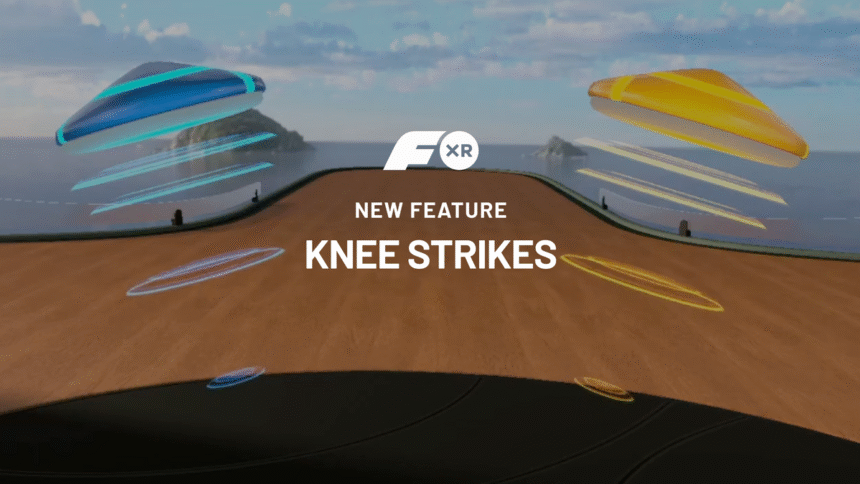
FitXR has added knee strikes to its Combat and Flow studios on Quest.
The new movement comes in two forms: Flow uses a standalone knee strike, while Combat includes both the standalone version and a more aggressive Grab-to-Knee movement. FitXR says the additions are designed to increase lower-body coordination and core engagement while giving Combat more of its own full-body martial arts identity.
I’ve now spent time with both of the new workouts, and the knee strikes add some welcome variety to each studio.
FitXR Knee Strike Tutorial
Knee Strikes In Flow And Combat
In Flow, the standalone knee strike fits naturally into the existing choreography. Flow already incorporates plenty of striking and lunging movements, and bringing a knee up into an approaching target adds another dimension without interrupting the rhythm of the workout. The haptic feedback through the controllers also does a good job of reinforcing the movement.
FitXR describes the Flow version as serving two purposes. It can work as a rhythmic, dance-like movement within a sequence, while also requiring the player to shift their weight onto one foot, engage their core and drive the opposite knee upward.
Gameplay, FitXR Flow with Knee Strikes
I found the knee strikes even more satisfying in Combat.
The standalone knee works well, but my favorite of the new additions is the Grab-to-Knee. An overhead target approaches and you reach up with both hands to grab it before forcefully pulling it down as you drive your knee upward to meet it. There’s something super satisfying about grabbing that target and slamming it into your knee, particularly with the haptic and auditory feedback accompanying the movement.
It’s not an entirely new concept for VR fitness. We’ve seen a similar grab-and-knee movement in Les Mills XR Bodycombat, but it fits extremely well within FitXR’s Combat workouts.
FitXR says the Grab-to-Knee was deliberately designed as a more powerful and drawn-out movement than the standalone knee. Holding your arms overhead adds shoulder engagement before pulling the target down, while the knee strike brings the lower body and core into the movement.
Gameplay, FitXR Combat with Knee Strikes
Detecting A Knee Strike Without Tracking Your Knee
So how is FitXR tracking a movement the Quest can’t directly see?
Current Quest headsets don’t directly track the player’s knees, so FitXR developed a system that uses movement from the headset as a proxy. Raising a knee generally causes a subtle shift in your center of mass, and that movement can be detected through the headset.
Rather than looking at a single moment, FitXR analyzes a brief history of headset movement. The system considers physical displacement, speed and direction of the movement, whether it corresponds to the expected left or right knee, and whether it happens close enough to the choreographed strike.
FitXR says the target isn’t a “literal collider attached to an invisible virtual knee.” Instead, the target acts as a visual and timing cue, while movement detected through the headset provides evidence that you’ve performed the knee strike.
Grab-to-Knee adds another layer. FitXR looks for both hands to make contact with the target, tracks the target as you pull it toward the knee-strike area, and also looks for the headset movement associated with raising your knee. FitXR describes this combination of hands, target impact and body movement as a “three-way handshake.”
The system is intentionally tolerant of small differences in movement and timing. FitXR says it prioritized recognizing legitimate movement rather than trying to turn the game into a strict judge of a player’s form.
In practice, that approach worked very well during my time with both workouts.
I didn’t encounter any tracking failures with the knee strikes. In fact, there were a few knee targets I missed, and the system correctly recognized those misses rather than registering them as successful strikes. The detection felt seamless enough that I quickly stopped thinking about how FitXR was determining whether my knee had actually moved and simply concentrated on the workout.
More Control Over Journey
FitXR is also giving users more control over which studios appear in their Journey training plans. At Journey checkpoints, users can now edit their studio preferences and select the activities they want included going forward.
Someone who wants to concentrate on Box and Combat, for example, can select those studios and continue with that combination until reaching the next checkpoint. FitXR’s existing Today’s Edit option remains available for users who simply want to change an individual day’s workout.
It’s another layer of personalization for Journey, which FitXR introduced as a way of providing more structure and progression across its collection of workouts.
Adding To An Already Broad Fitness Library
There is already a lot to do here.
Between Box, Combat, Flow, HIIT, Dance, Zumba, Sculpt, and SLAM, FitXR offers considerably more variety than simply cycling through different versions of the same basic workout. Different studios emphasize different types of movement and provide different ways to exercise in a headset.
Knee strikes expand that movement library a little further. The standalone version fits easily into Flow, while Grab-to-Knee gives Combat an especially satisfying new interaction and another reason for the studio to feel distinct from boxing.
After trying knee strikes in both workouts, they feel like a natural addition to an app that already offers an impressive variety of ways to work out in VR.